The planning problem
School cleaning is not a normal weekly rota
A normal commercial cleaning schedule might run every week of the year. School cleaning is different. Most school cleaning contracts are built around an academic year, not a standard 52-week operating pattern. The regular clean usually follows term dates, while deep cleans and other periodic work often happen during Christmas, Easter or the summer break.
That creates a different planning problem. You are not just asking which cleaner works on Monday, Tuesday or Wednesday. You are asking when the school is open, when cleaning should pause, when non-term work needs to happen, which staff are available during holidays, and whether salary or holiday calculations still line up with the agreed contract.
Many cleaning businesses still manage this in spreadsheets. That can work for one or two sites, but it becomes difficult to audit when dates change, staff availability changes, or a school publishes an updated term calendar.
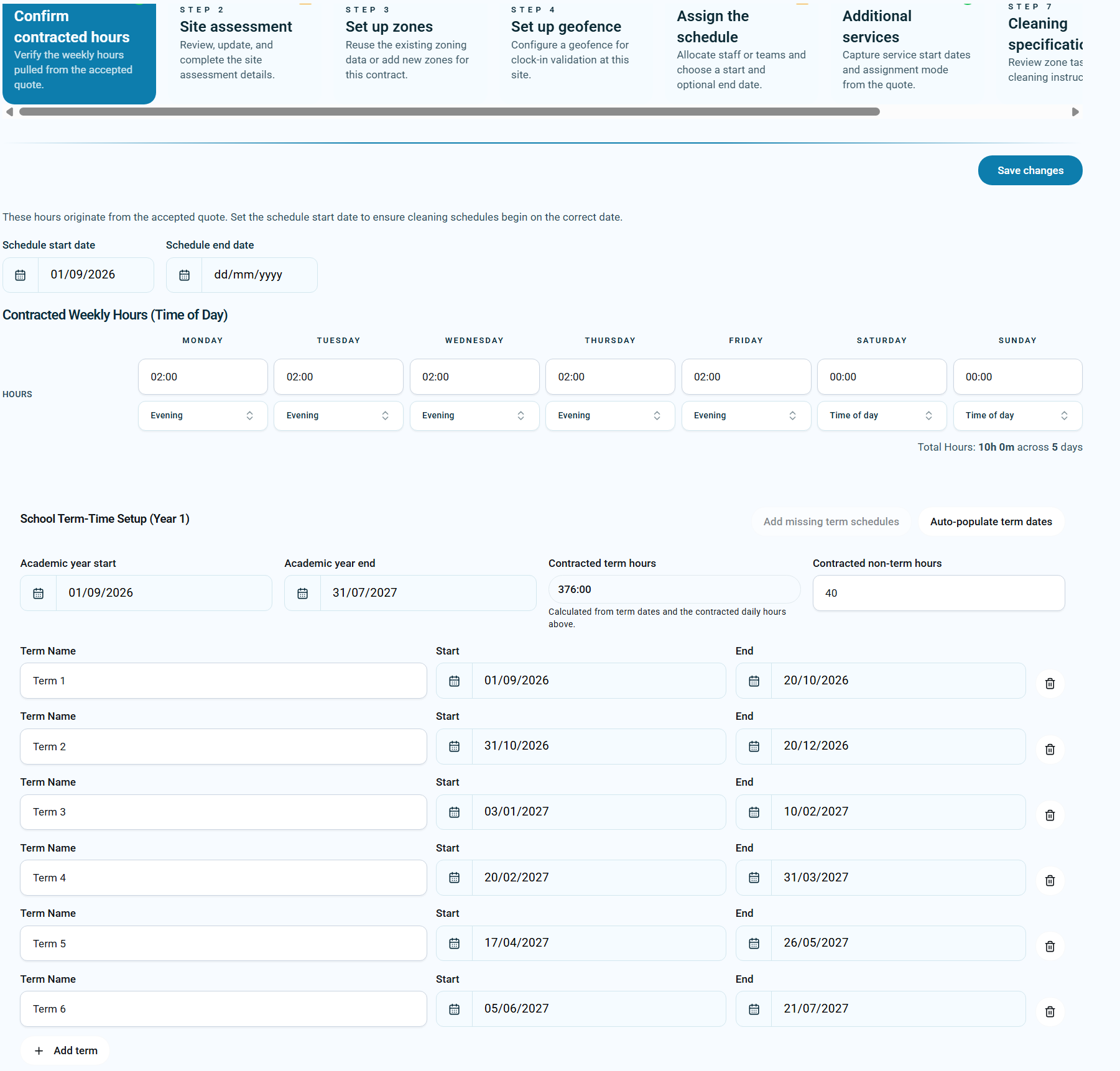
The better approach is to build the school schedule from the academic calendar first, then create the rota around the terms, holiday periods and non-term work.
The traditional way
The traditional process usually looks something like this:
- Find the school term dates on the school website or in a PDF.
- Copy the dates into a spreadsheet.
- Create a weekly cleaner rota.
- Remove the school holiday weeks manually.
- Add inset days, bank holidays or closures by hand.
- Plan deep-clean work separately.
- Ask staff when they are available during holidays.
- Check salary, holiday and annualised-hour records somewhere else.
Each step is reasonable on its own. The problem is that the process depends on careful manual checking. One missed date can create the wrong schedule. One spreadsheet change can affect payroll. One unavailable date can be lost in a message thread.
Why mistakes happen
School schedules usually fail when the term calendar and the staff rota are treated as separate things. The rota says the cleaner works every week. The school calendar says they should not. The non-term plan says deep-clean hours are needed. The staff member says they are unavailable that week. Payroll needs to know what was actually agreed.
When those records live in different places, managers have to reconcile the truth manually. That is where errors creep in.
A better approach
A stronger process starts with the school calendar and then works forwards:
- Import or enter the academic year and term dates.
- Use those terms to create the regular term-time schedules.
- Record contracted non-term hours separately.
- Capture staff unavailable dates for school holiday planning.
- Book deep-clean and non-term work against the right holiday weeks.
- Keep salary, holiday and annualised-hour records visible.
This turns school scheduling from a spreadsheet exercise into a repeatable operational process.
Example: one school group, one academic year
A cleaning company manages 18 schools. Every July, the office team traditionally spends two days rebuilding schedules for the new academic year, checking school websites, copying term dates into spreadsheets and creating separate rotas for each site.
With AI term-date import and schedule generation, that process can be completed in under an hour. The team can spend its time checking staffing, cover and non-term work instead of retyping dates and rebuilding the same schedule structure again.
Step 1: Import the term dates
Schools usually publish term dates online or provide them as a PDF. Instead of retyping every date, KleanFlo can use a school term dates URL or PDF and AI can interpret the document into usable term records.
KleanFlo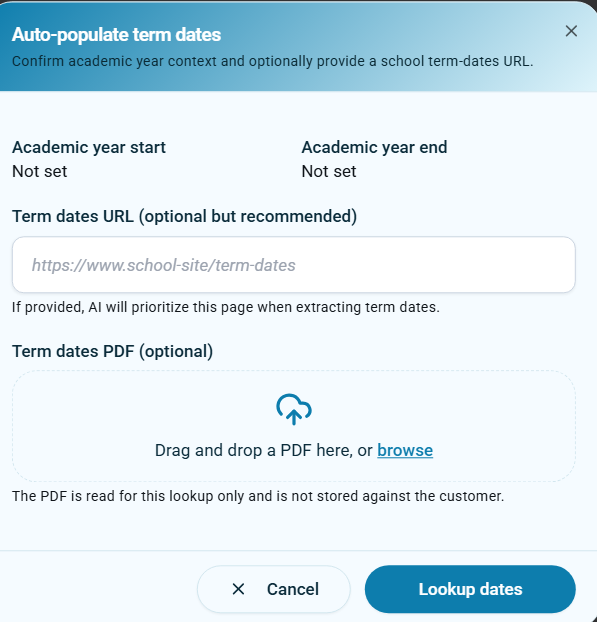 AI imports school term dates directly from a school website or term dates page.
KleanFlo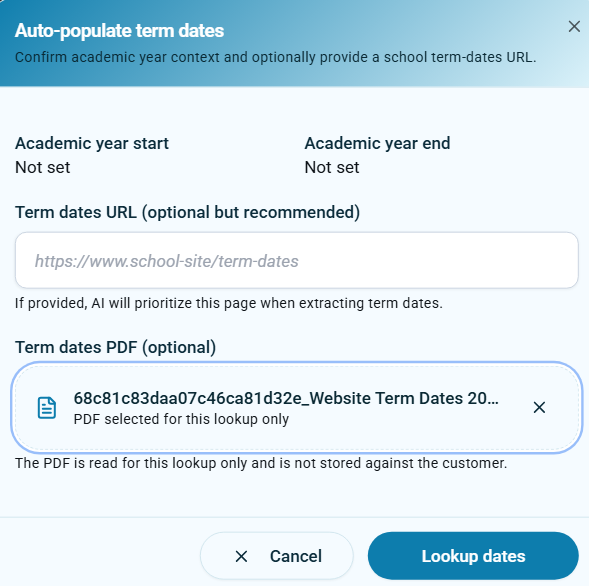 When the school provides a PDF, it can be used for the term date lookup instead.
Step 2: Build schedules from the terms
Once the academic year and term dates are in place, the schedule wizard can create the schedule for each term. That means the rota follows the actual school year rather than a generic 52-week pattern.
KleanFlo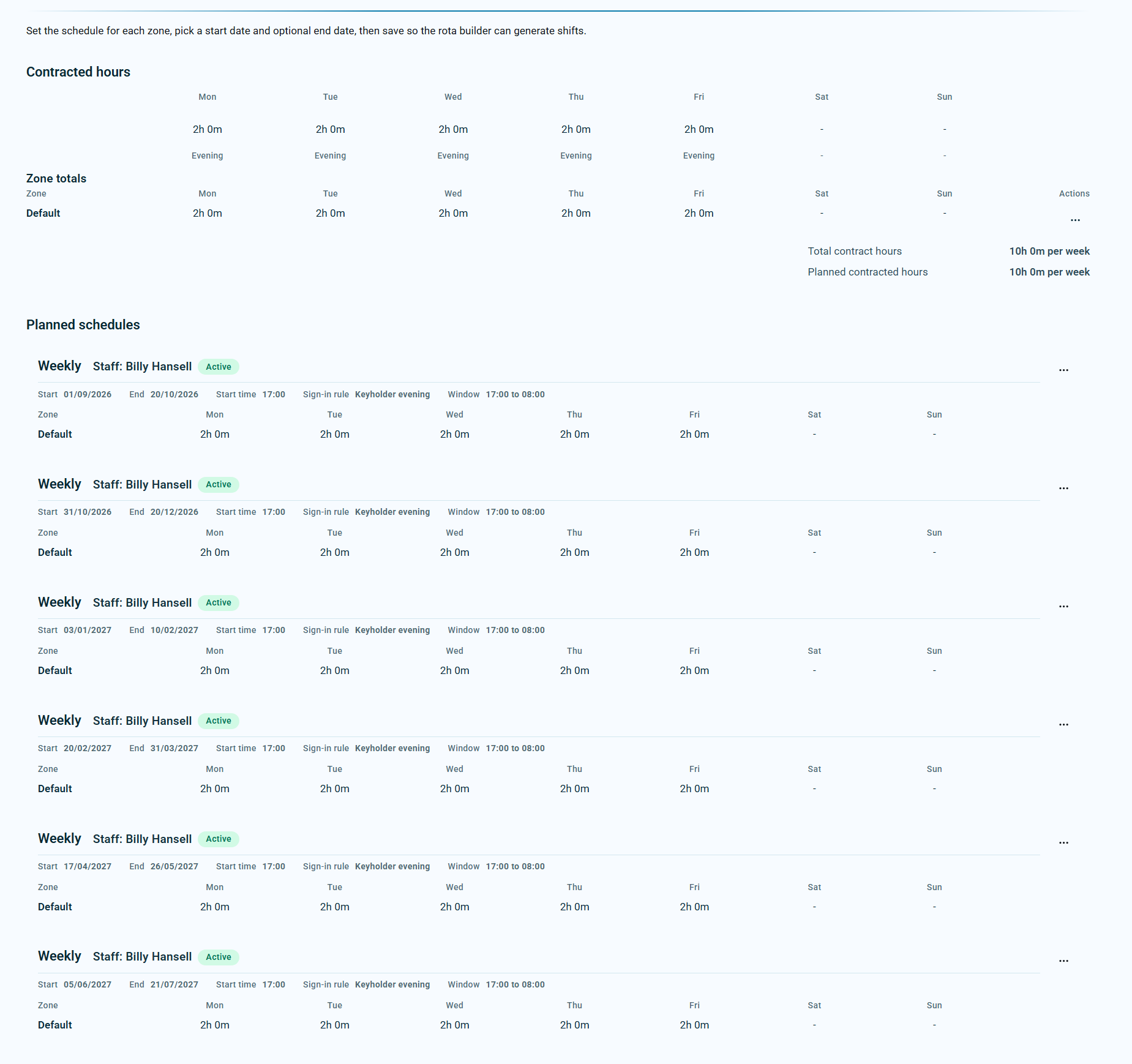 The schedule wizard automatically creates cleaning schedules for each term.
Step 3: Plan non-term work separately
School holiday cleaning is usually not the same work as term-time cleaning. It may include deep cleans, floor work, classroom resets, periodic tasks or return-to-school preparation.
Those hours should be tracked separately. Managers need to know the contracted non-term target, what has been delivered, what has been booked and what remains.
KleanFlo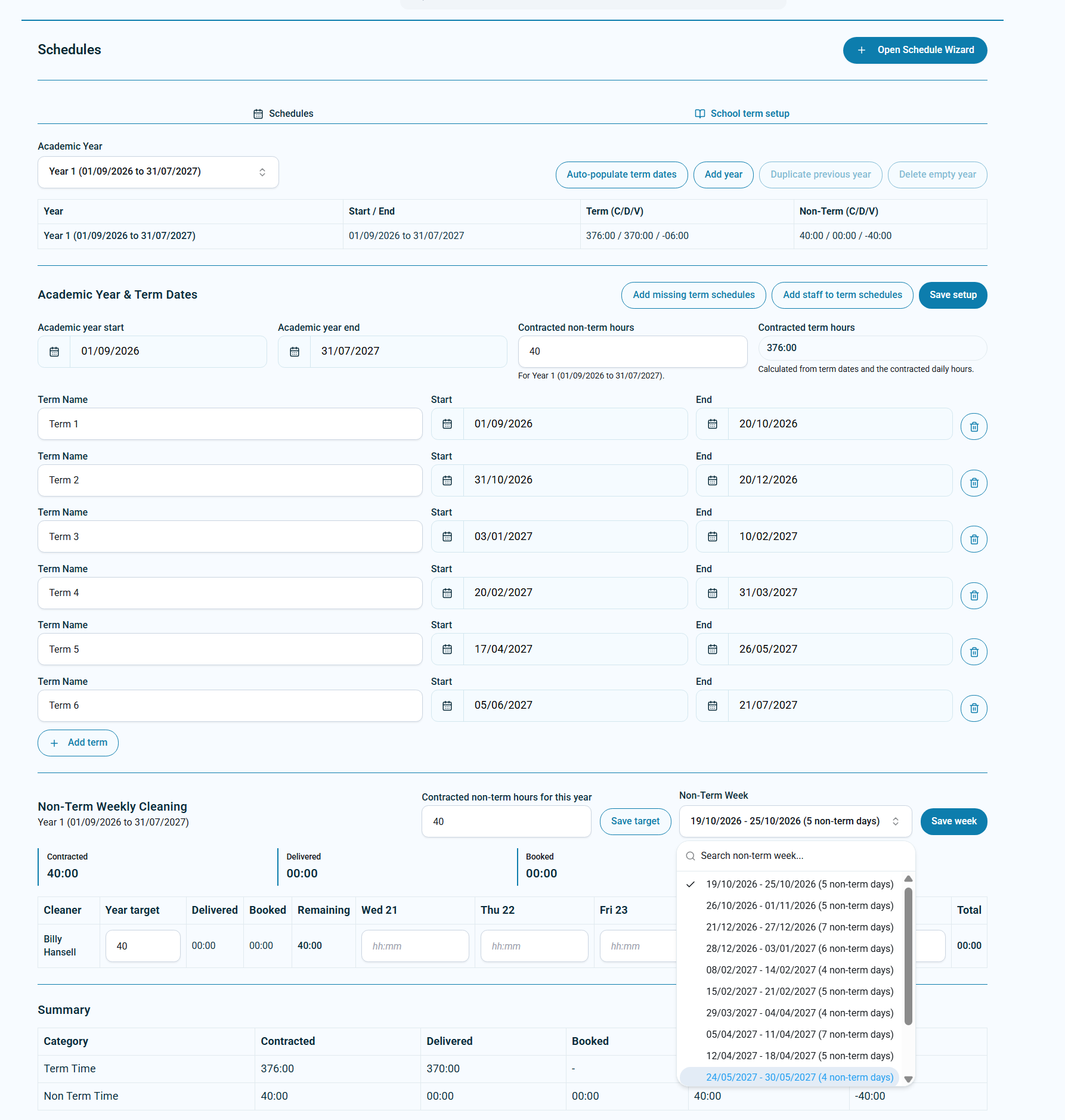 Non-term weeks can be selected and booked against contracted school holiday hours.
Step 4: Record staff unavailable dates without booking holiday
In many school cleaning contracts, staff holiday is not usually taken during term time. But cleaners may still need to tell the office which dates they cannot work during school holidays.
Those unavailable dates are useful planning information. They should not automatically be treated as holiday absence or affect payroll holiday pay.
KleanFlo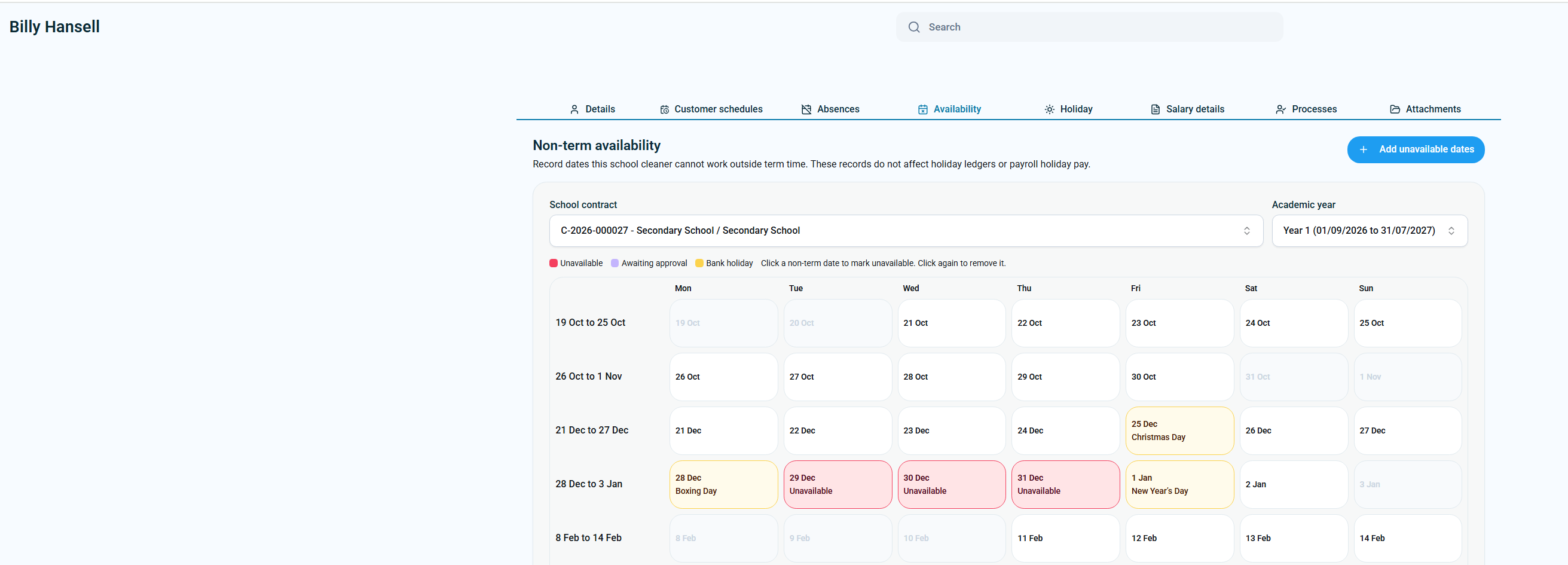 Staff unavailable dates support planning without being booked as holiday.
Step 5: Keep salary and annualised-hour checks clear
Some school cleaners are paid on a salary basis. That means the business needs a view of the whole year, including term hours, extra non-term hours, holiday hours, annualised hours and salary basis.
If these records are managed separately from the schedule, questions become harder to answer. Keeping them together gives the office team a clearer audit trail.
KleanFlo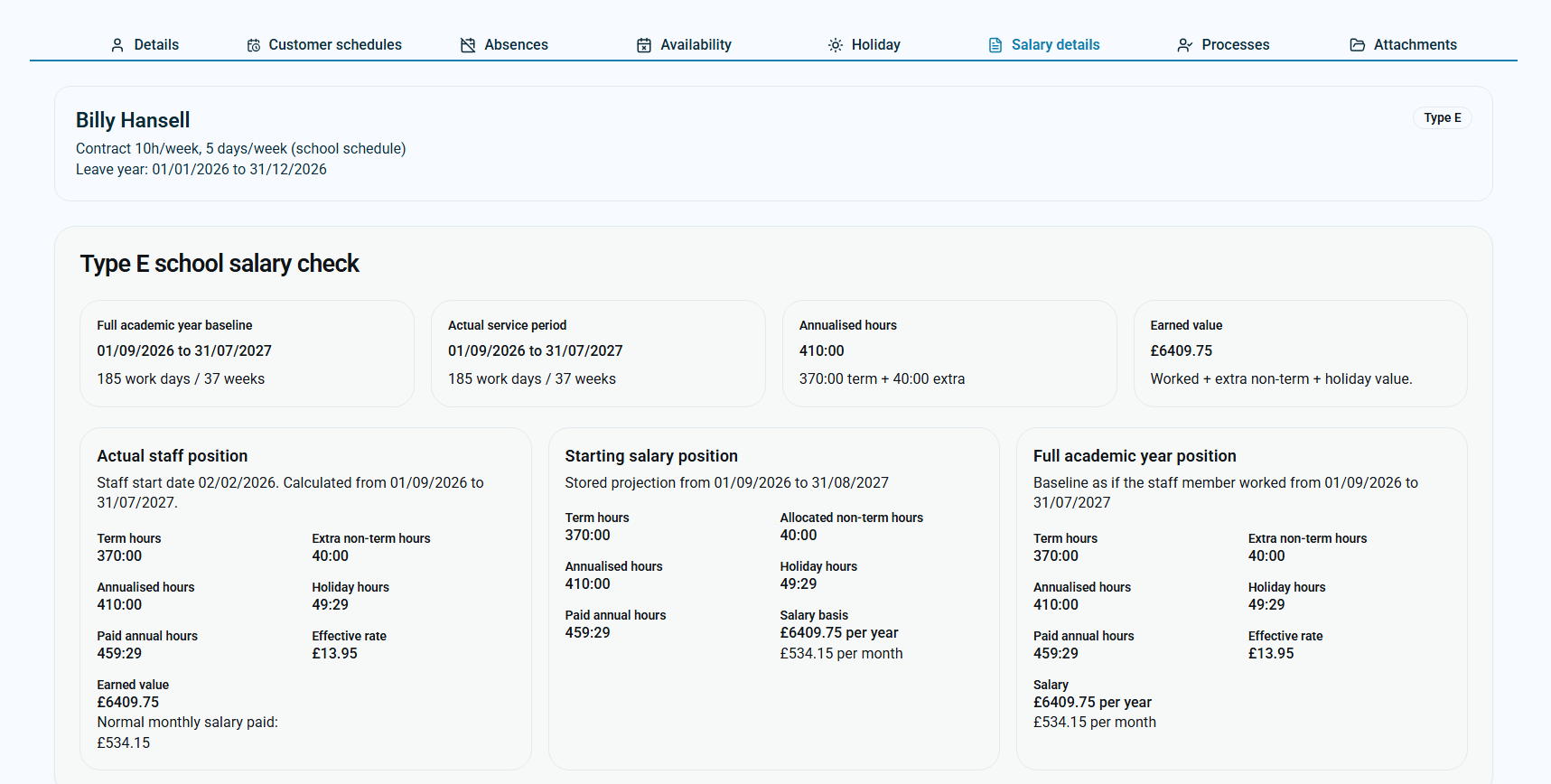 Salary checks can show term hours, extra non-term hours, holiday hours and annualised hours.
Where KleanFlo fits
This is where KleanFlo school cleaning software fits naturally. The best practice is not to force school contracts into a standard rota. The best practice is to build around term dates, non-term work and staff records from the start.
KleanFlo helps turn that process into something repeatable: import term dates, create term schedules, record non-term availability, plan school holiday work and keep salary checks clearer.
Quick checklist for scheduling school cleaners
- Get the school term dates before creating the rota.
- Check inset days, bank holidays and unusual closures.
- Separate term-time cleaning from non-term work.
- Record staff unavailable dates for non-term planning.
- Build schedules for each term, not one generic 52-week rota.
- Track contracted non-term hours and booked non-term work.
- Keep salary, holiday and annualised-hour records visible.