Customer and site records
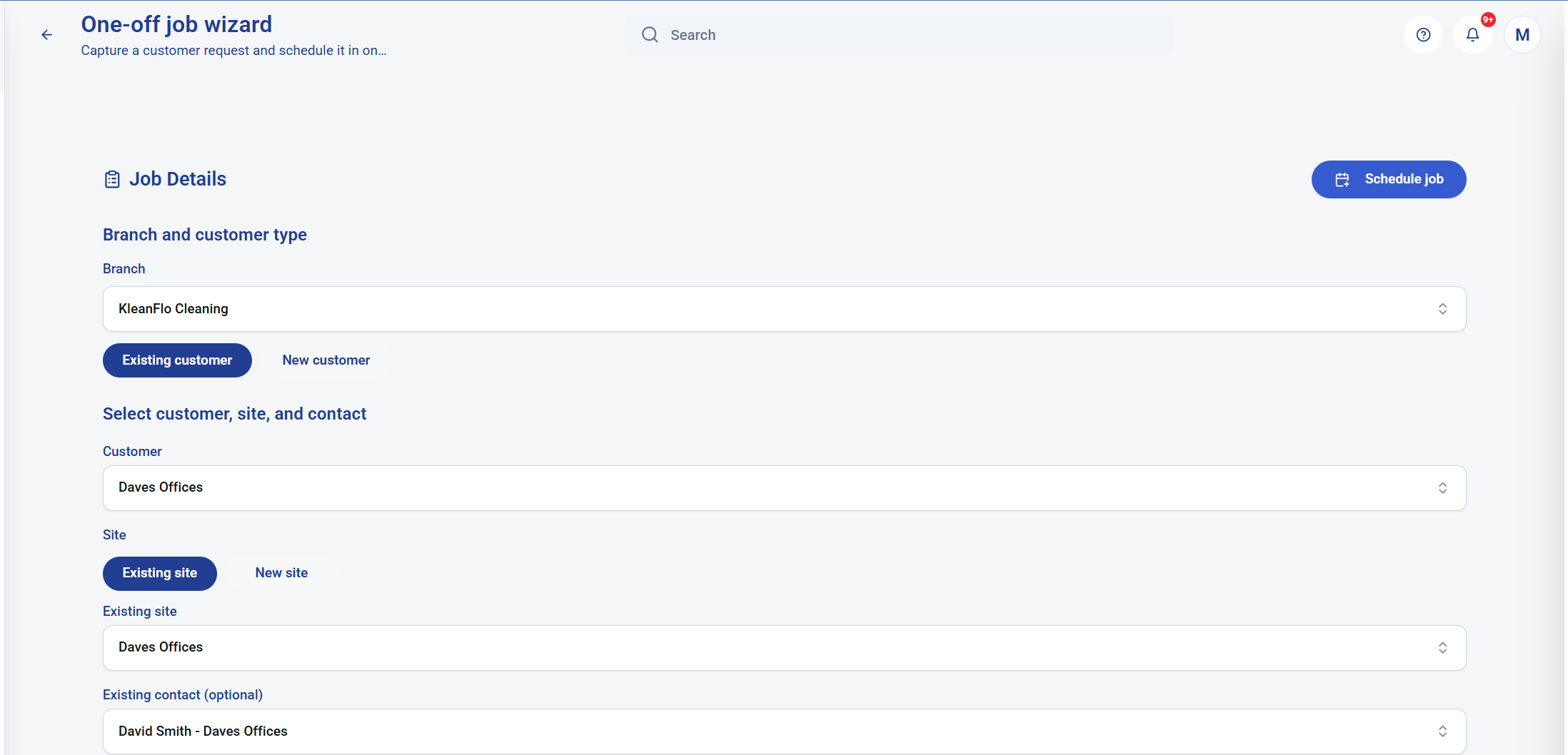
Use an existing customer and site, add a new site to an existing customer, or capture details for a new customer and site.

One-off cleaning job software
KleanFlo helps cleaning companies turn a call-out, deep clean, emergency clean or ad hoc customer request into controlled work without rebuilding the same details in separate systems.
Proof statement
A one-off job often creates more admin than a regular contract because the office has to capture customer details, site details, job notes, price, deposit, contact, cleaner assignment, timing, attendance evidence and invoice records.
KleanFlo keeps that work in one connected flow. Select an existing customer or create a new one, add a new site where needed, set the geofence, price the job, assign the cleaner, schedule the shift and send the instruction.
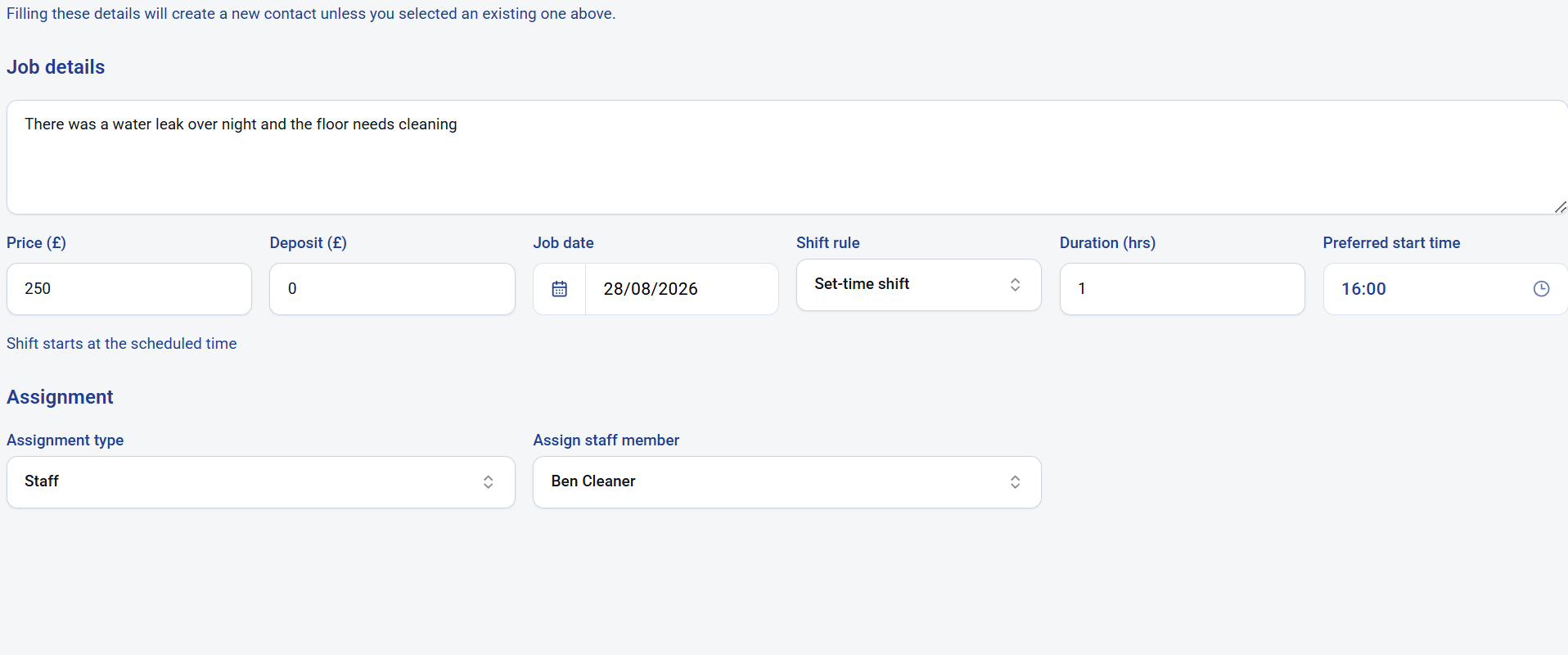 One admin screen captures the job details, cost, date, shift rule, duration, start time and cleaner assignment.
One-off job setup
When the office submits the one-off job, KleanFlo can create the new customer or site records, create the contract record for the job, raise a deposit invoice if required, schedule the work and notify the cleaner.
That means the admin team is not separately creating a customer, a site, a contract, a rota entry, a message and an invoice from the same request.
Connected workflow
The value is not just the form. The value is what the form creates behind the scenes.
Use an existing customer and site, add a new site to an existing customer, or capture details for a new customer and site.
Create the one-off job record with price, description, contact, date, duration, preferred time and shift rule.
Raise a deposit invoice automatically when a deposit is required before the work starts.
Put the job into the schedule so the office can see the cleaner, time and customer site in the planner.
Send the assigned cleaner the job details so they know where to go, when to arrive and what needs doing.
After completion, create the final invoice and post it to Xero or QuickBooks where accounting is integrated.
Schedule proof
Once the one-off job is scheduled, it sits alongside regular work rather than being hidden in an email, notebook or spreadsheet. The office can see that Ben Cleaner is assigned to Daves Offices at 4:00 PM for one hour.
This is important for commercial cleaning companies because one-off work still consumes real staff capacity and needs the same operational visibility as contract work.
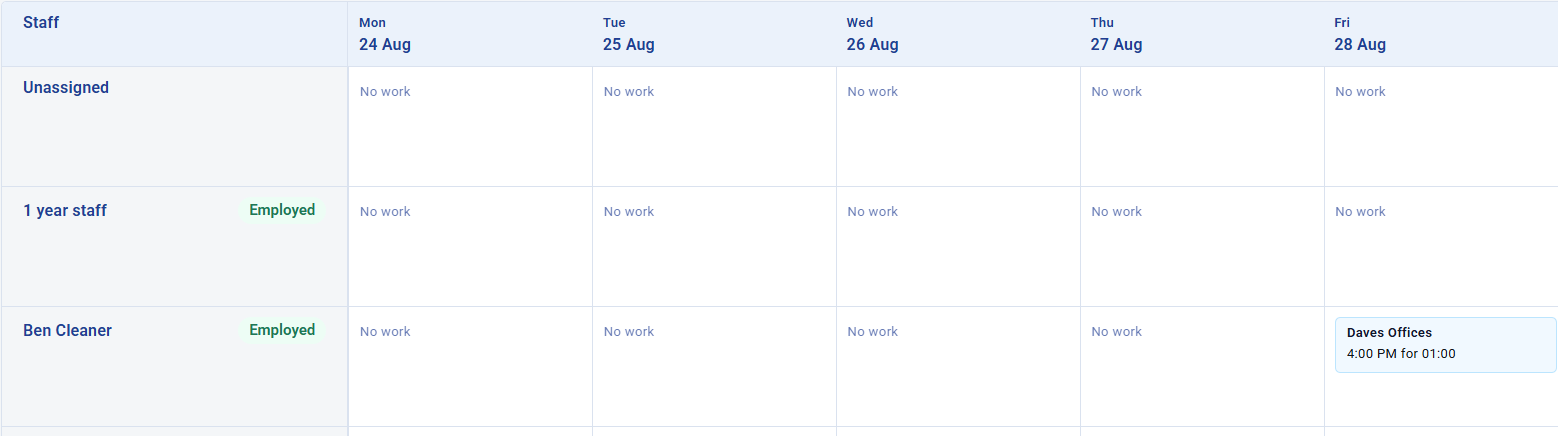 The one-off job appears directly in the scheduler against the assigned cleaner.
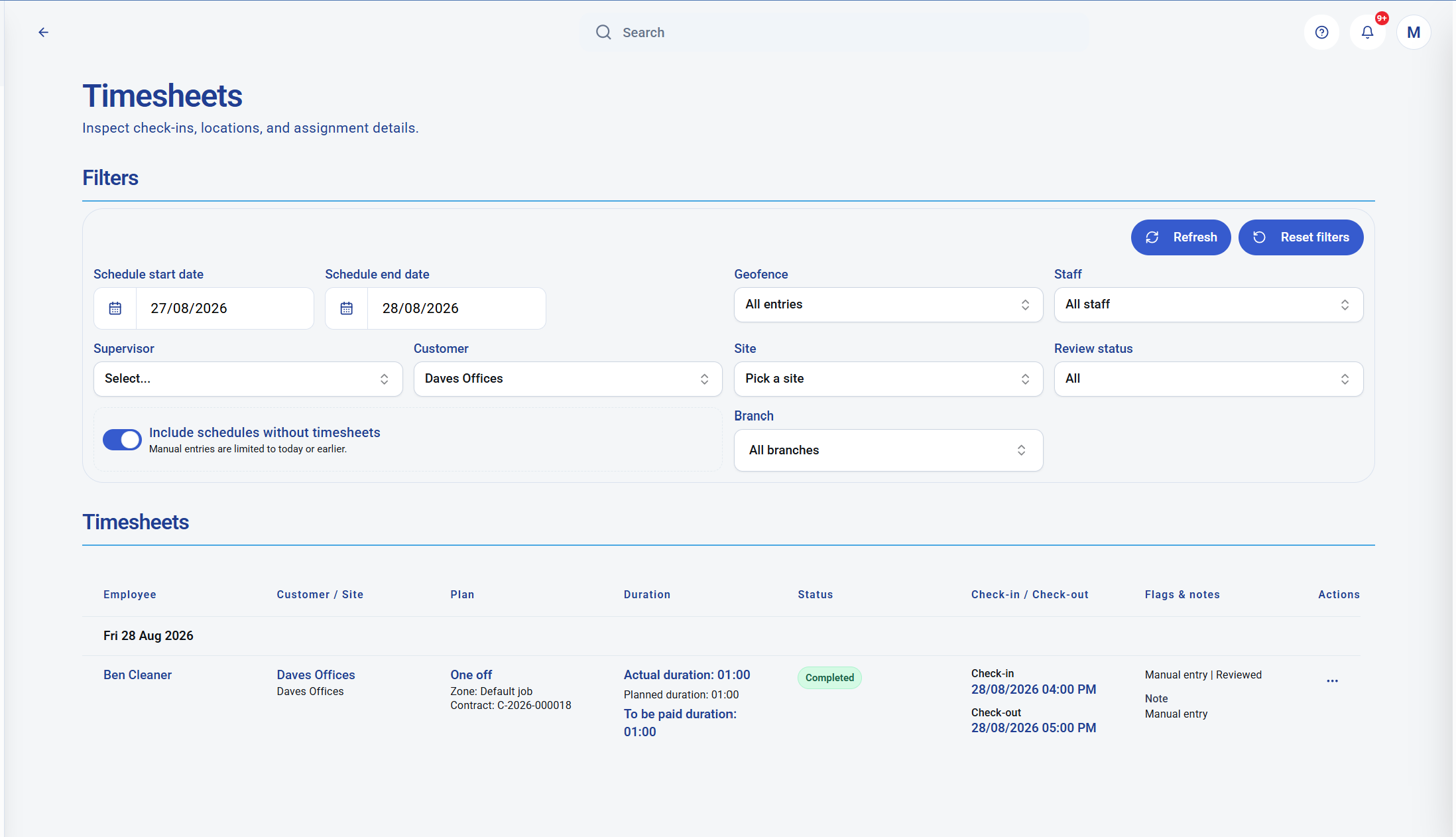 Cleaner check-in, check-out, duration and review status are visible in the timesheet record.
Mobile attendance
The cleaner checks in and out on mobile. The office can review the timesheet, actual duration, planned duration, payable duration, status, location/geofence evidence and notes.
That closes the gap between planned one-off work and completed one-off work. The job is no longer just a calendar entry; it becomes a reviewed service record.
Invoice proof
When the cleaner completes the one-off job, KleanFlo can generate the invoice record and keep the amount, customer, date and service description connected to the original job.
If the business uses Xero or QuickBooks integration, the completed invoice workflow can be posted into the accounting system rather than retyped manually.
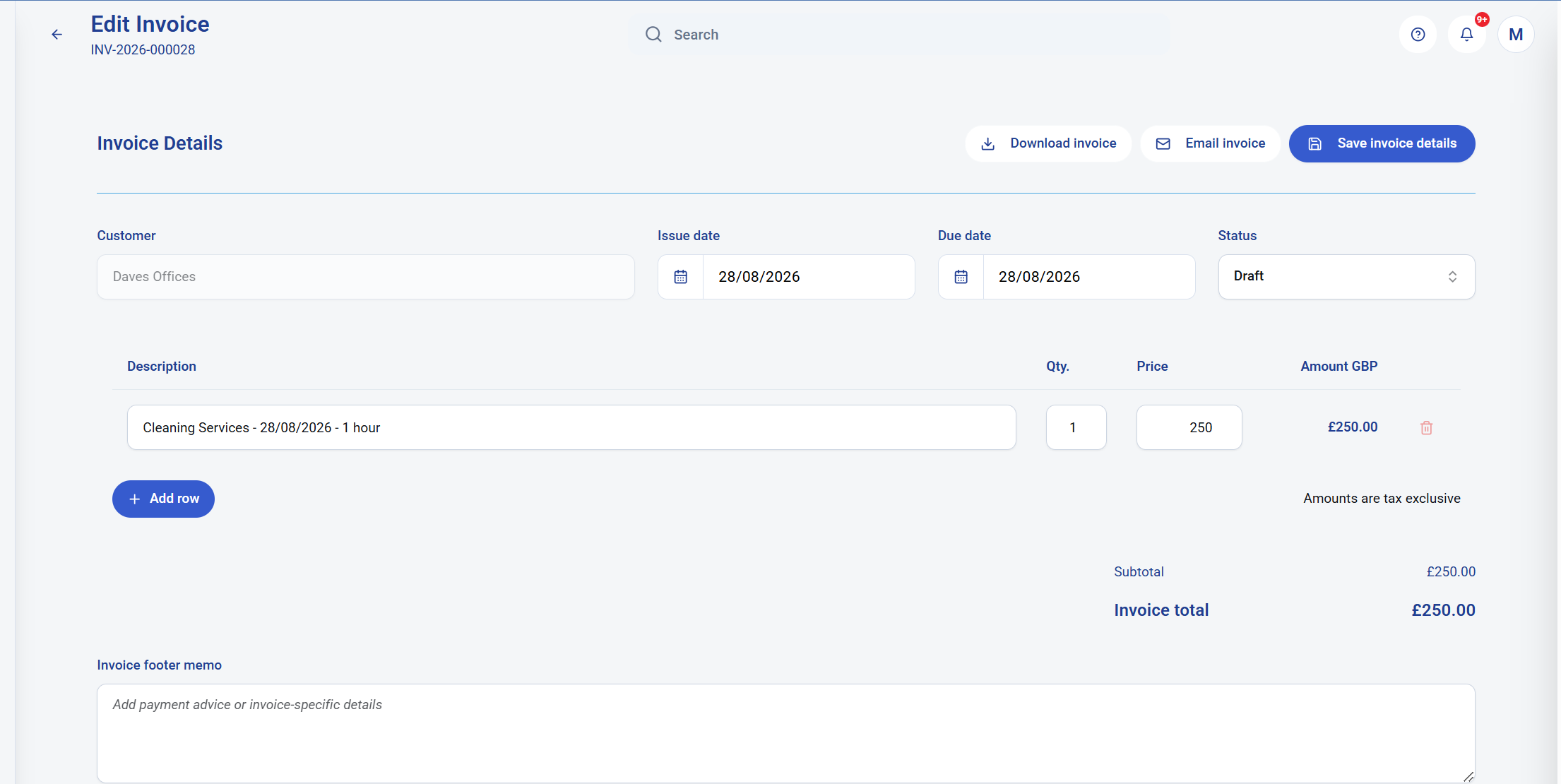 The invoice is created from the completed one-off cleaning job.
One-off jobs are easy to underestimate. A one-hour job can still create multiple admin steps before and after the clean.
This workflow supports the type of ad hoc work that regularly interrupts cleaning operations.
Create the customer, site, job, schedule, cleaner instruction, attendance record and invoice workflow in KleanFlo.