Cleaning staff scheduling software
Publish planned shifts to cleaners, keep site details close to the rota, and help staff understand where they need to be before the shift starts.

KleanFlo Staff mobile app
Commercial cleaning companies need more than a rota on a noticeboard or a message in WhatsApp. Cleaners need to know where they are working, when they should arrive, what the site requires, what has changed, and how to report anything that matters before it becomes a customer complaint.
KleanFlo Staff gives cleaners and mobile teams one app for the work around the shift: schedules, job details, check-in, check-out, documents, conversations, incidents, audit results, holiday requests and process actions.
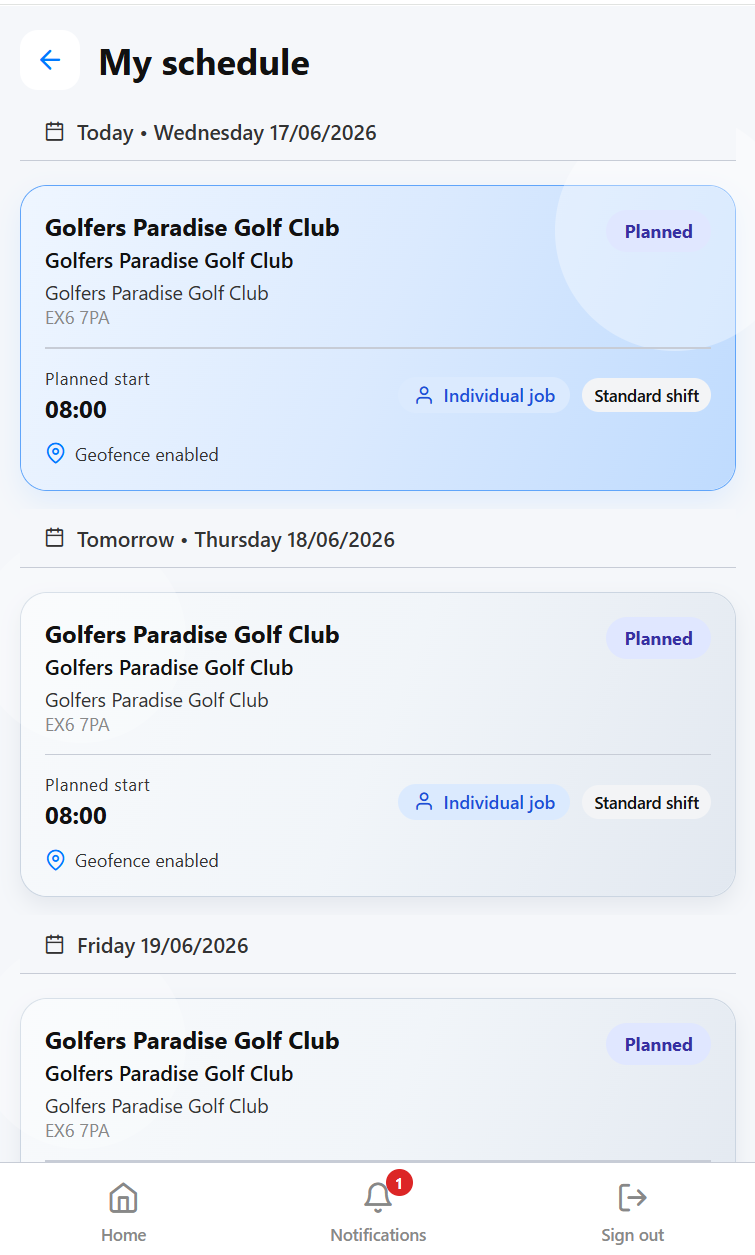 Schedules
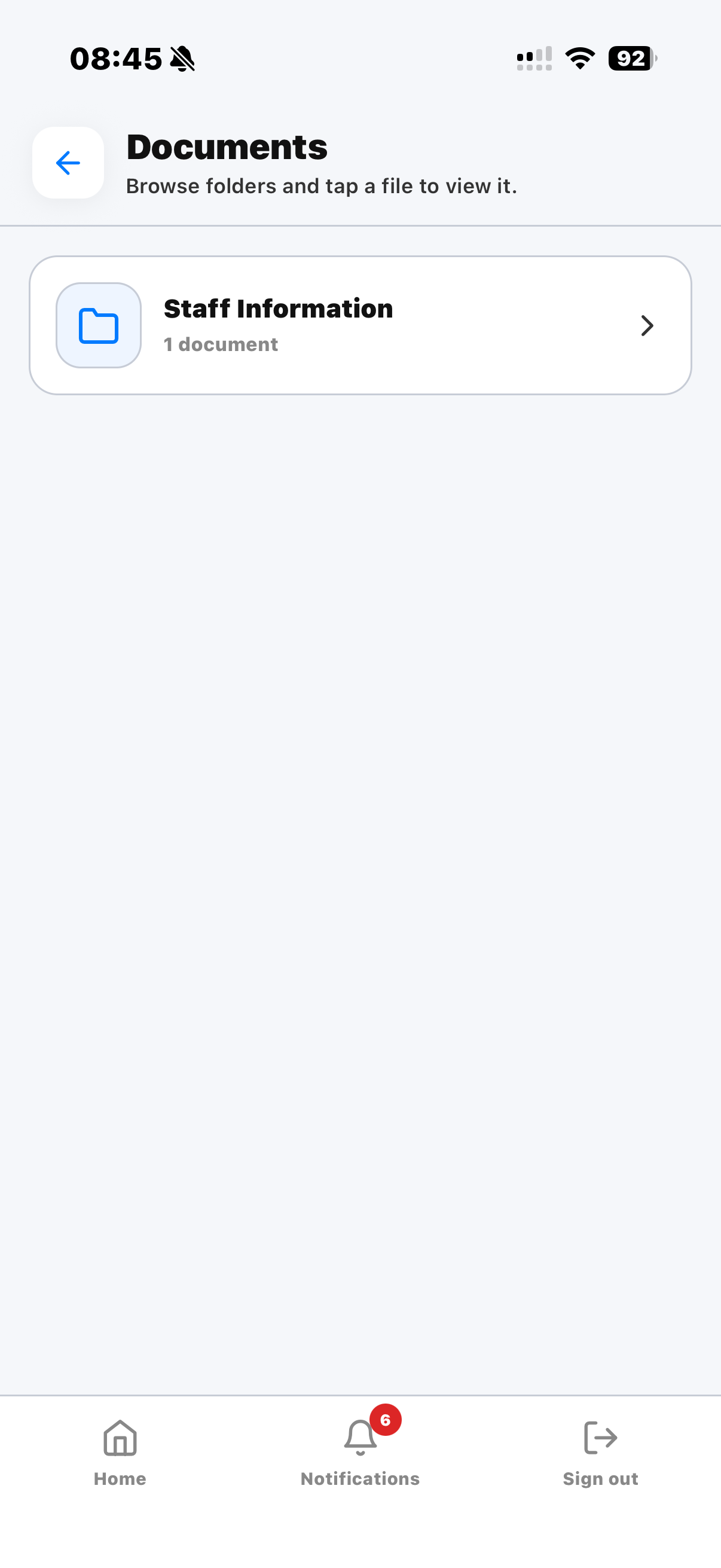 Documents
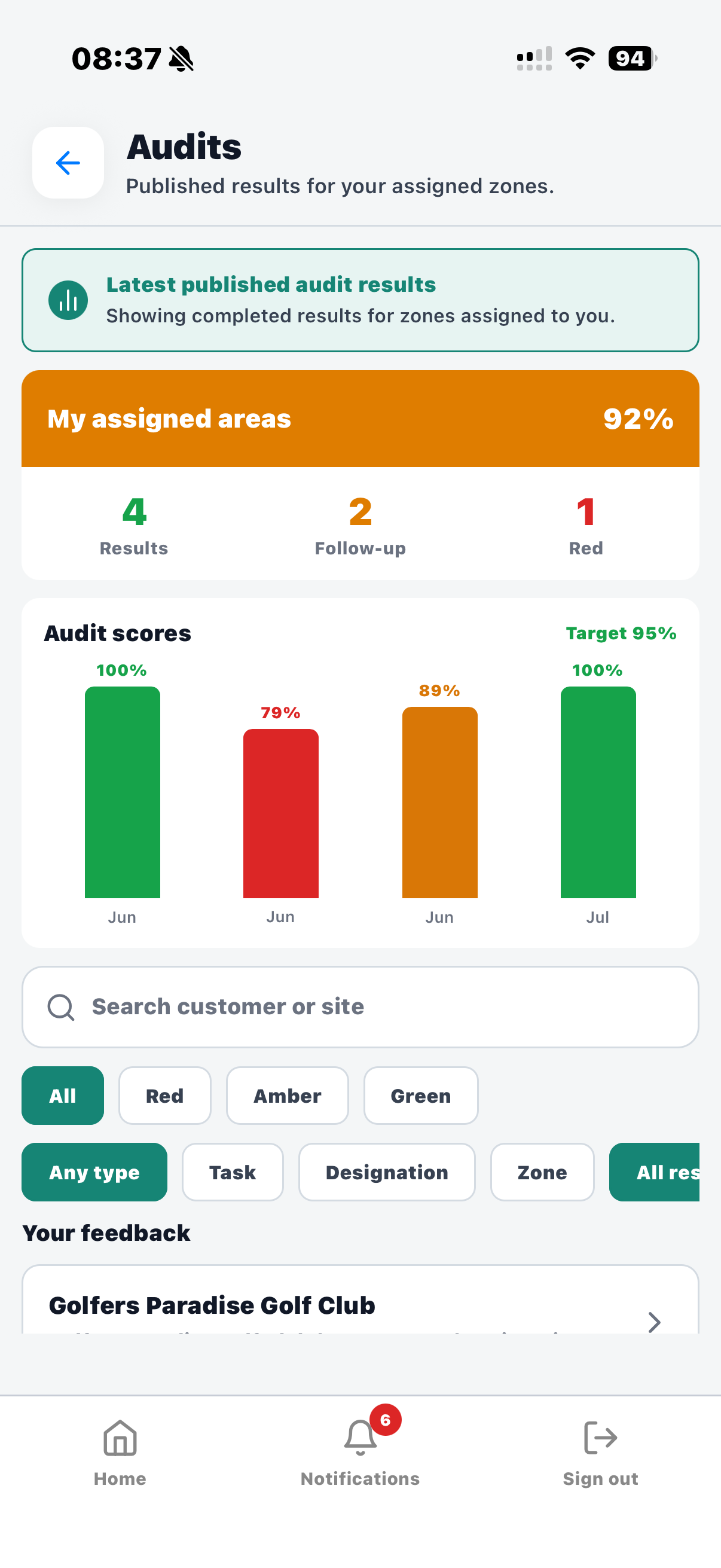 Audit results
Why it matters
Commercial cleaning companies often manage staff who work early mornings, evenings, weekends and across multiple customer sites. Supervisors cannot stand next to every cleaner, and office teams should not have to chase every update manually.
A good cleaning staff mobile app reduces that gap. It gives staff clear instructions before they arrive, captures useful evidence during the shift, and keeps managers informed when something changes. That means fewer missed messages, fewer assumptions and better records when a customer asks what happened.
For commercial cleaning companies, this is especially important because staff may work alone, outside office hours, across several customer sites, or in buildings where access instructions and cleaning standards vary from one contract to another.
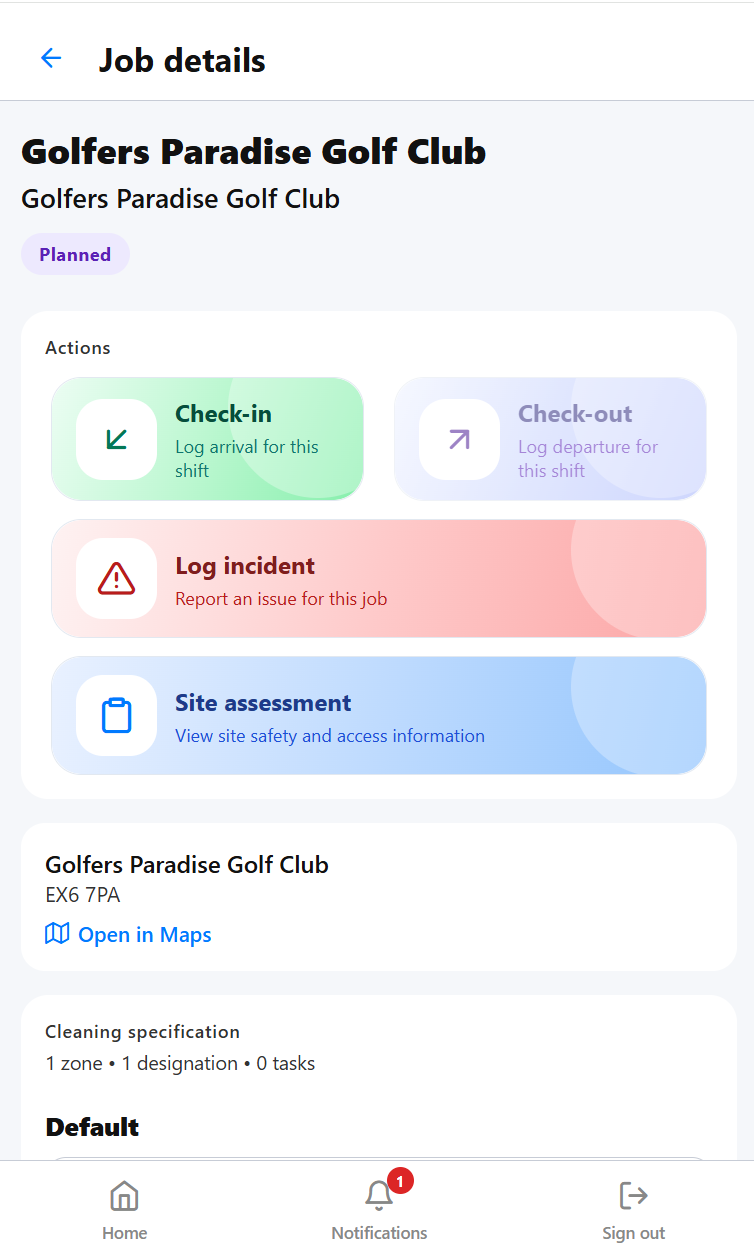 Job details
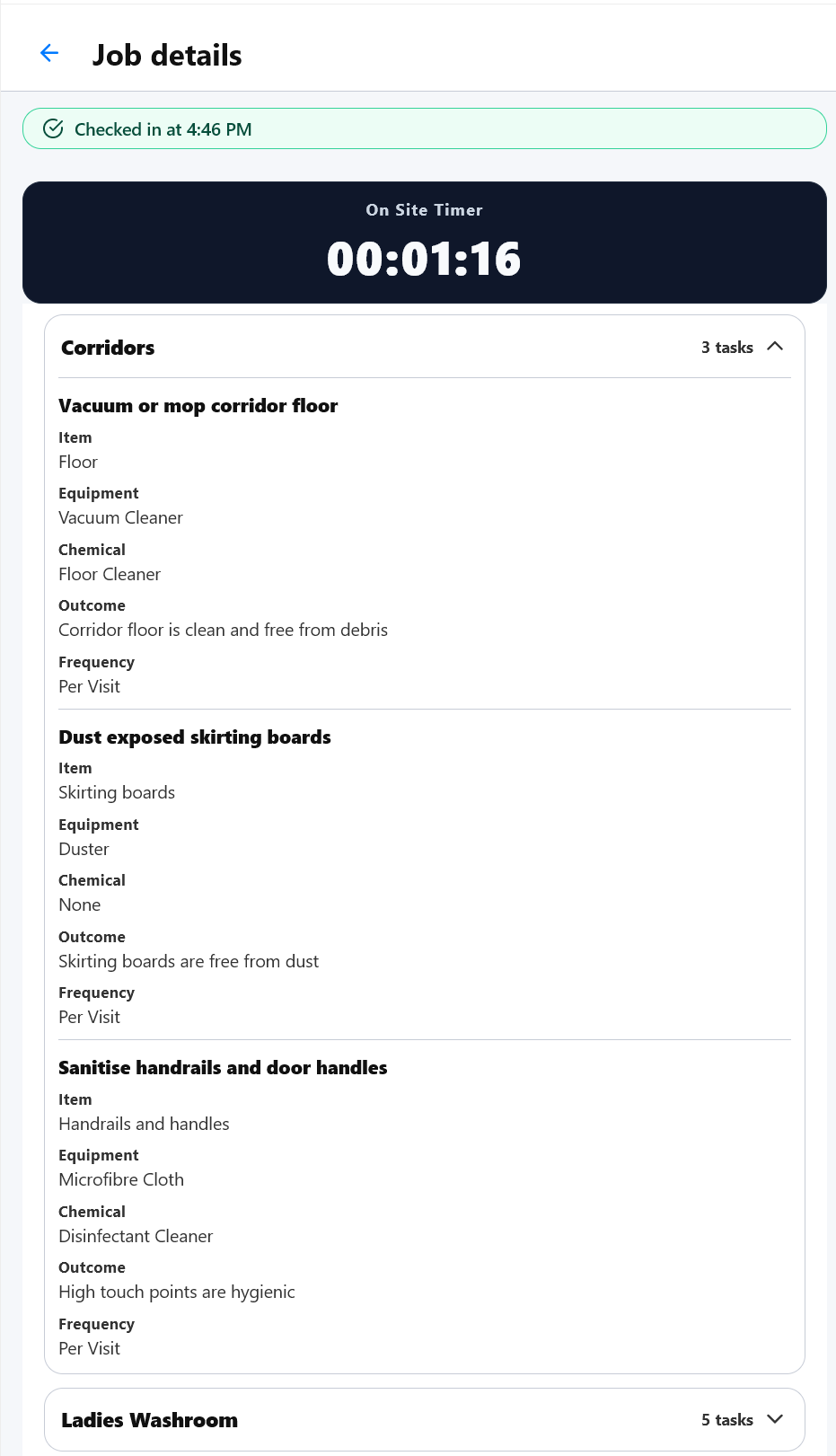 Specification
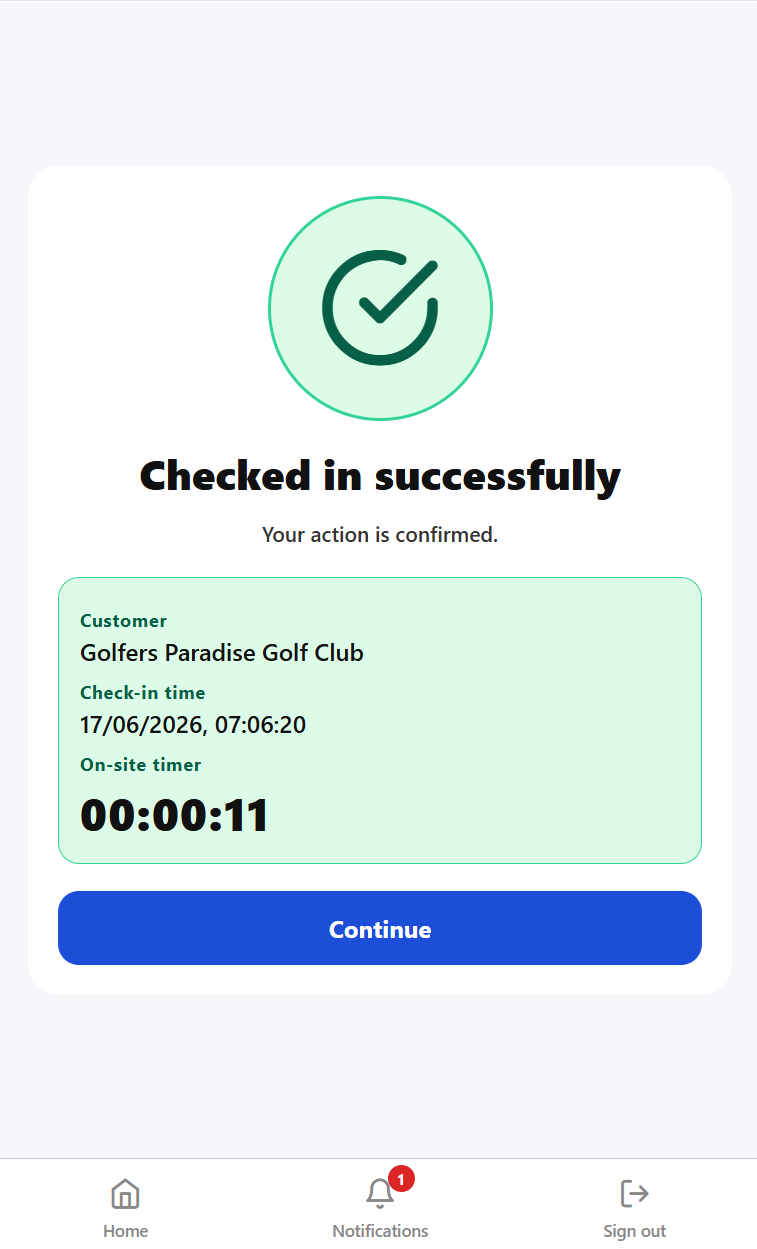 Check-in
Workforce management
The staff app is most valuable when it is connected to the wider workforce picture: who is planned to work, who has arrived, what changed on site, and what managers need to act on next.
Publish planned shifts to cleaners, keep site details close to the rota, and help staff understand where they need to be before the shift starts.
Use mobile check-in and check-out to give supervisors better visibility of planned versus actual attendance across customer sites.
Keep staff, schedules, documents, holiday requests, incidents and process actions connected instead of spreading them across separate tools.
Support cleaners working early, late, alone or across multiple locations with clearer instructions and faster ways to send updates back to managers.
Attendance records, incident notes, audit feedback and conversations help office teams answer customer questions with a stronger operational history.
Give staff simple mobile actions while giving managers structured information they can review, report on and use for follow-up.
WhatsApp is quick, which is why so many cleaning businesses start there. It works when the team is small and everyone already knows every site. As the business grows, it becomes harder to manage operational information properly.
Messages disappear up the thread. Staff leave groups. New starters cannot easily see the right history. Site instructions become mixed with general chat. Customer issues are discussed in one place, schedules live somewhere else, and managers have no clear audit trail against the customer, site or employee record.
KleanFlo keeps conversations connected to the people, sites and jobs they relate to. That gives commercial cleaning companies a cleaner record of what was said, who was involved and what action was taken.
Daily operations
KleanFlo Staff is designed around real cleaning operations, not just clocking in. It supports the practical questions staff ask every day.
Cleaners can see their assigned work, shift times, customer details, site information and planned job duration without needing to contact the office.
Site notes, cleaning specifications, documents and instructions help staff understand the standards expected at each customer location.
Check-in and check-out flows help create time and attendance evidence, including GPS, landline call-in and NFC options where configured.
Staff can log incidents and raise operational problems while they are still on site, including notes and evidence where needed.
Process actions, return-to-work tasks, weekly checks and other workflows can be shown to the staff member responsible for completing them.
Conversations and notifications keep work updates inside KleanFlo, so important information is attached to the right staff, site or customer record.
A typical shift
Good mobile software should fit naturally around the shift. It should help staff before they arrive, while they are on site, and after the work has been completed.
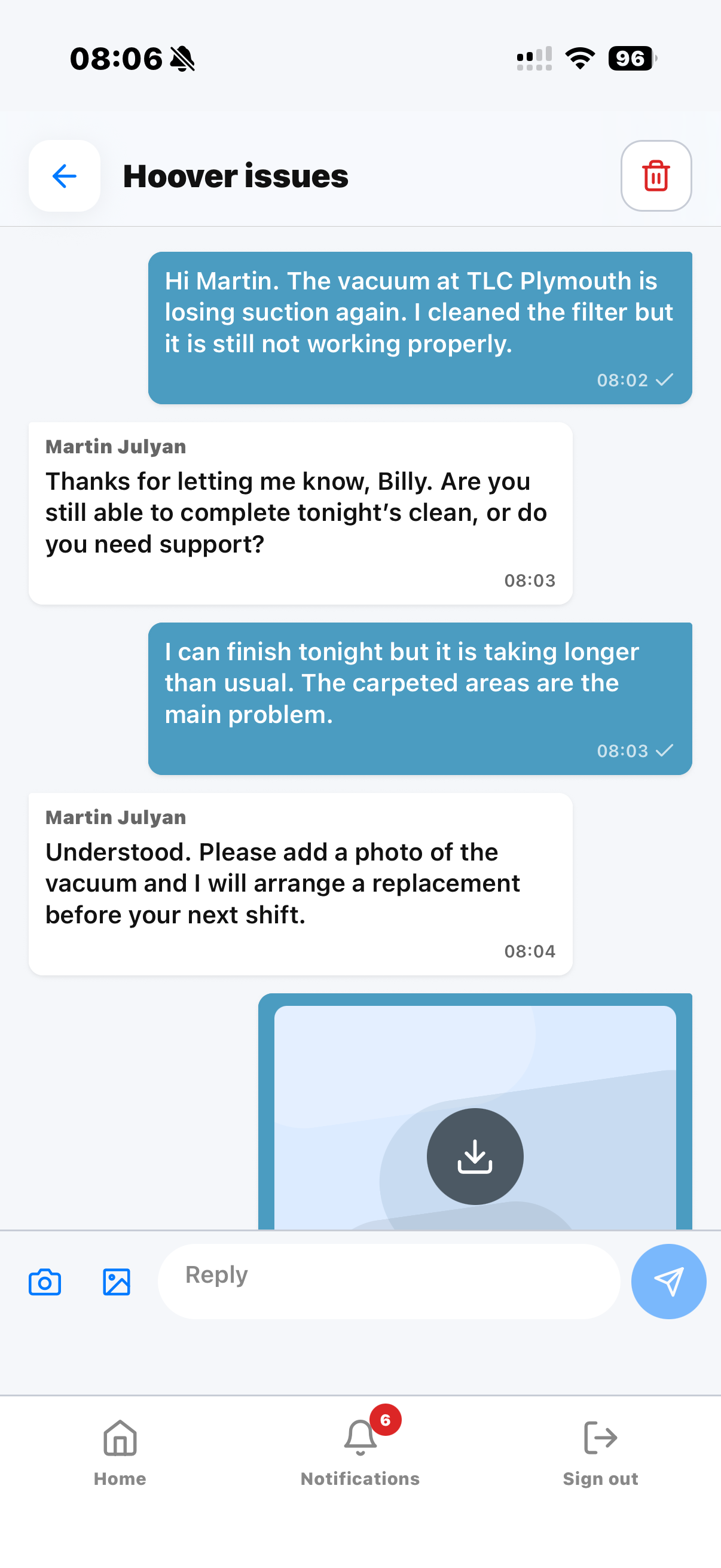 Equipment update
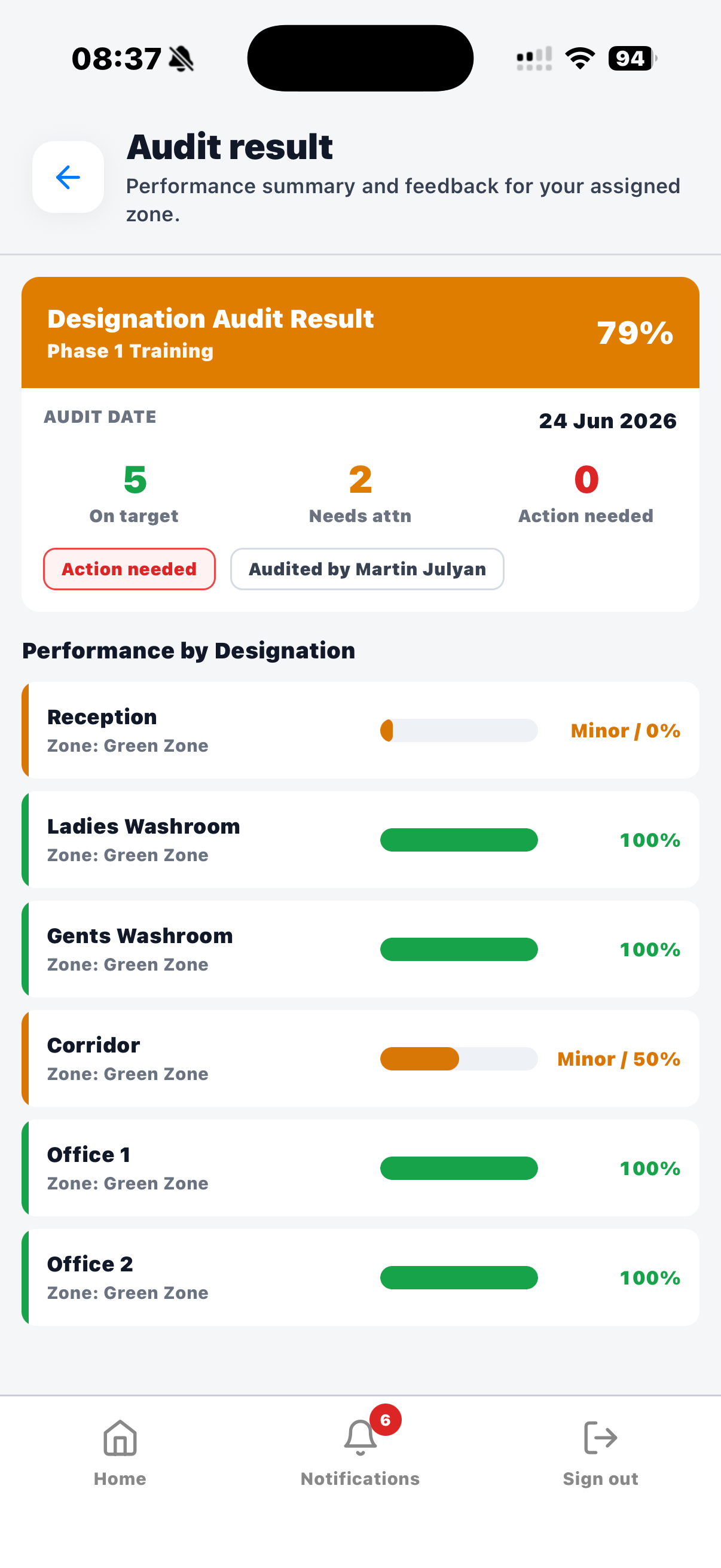 Audit feedback
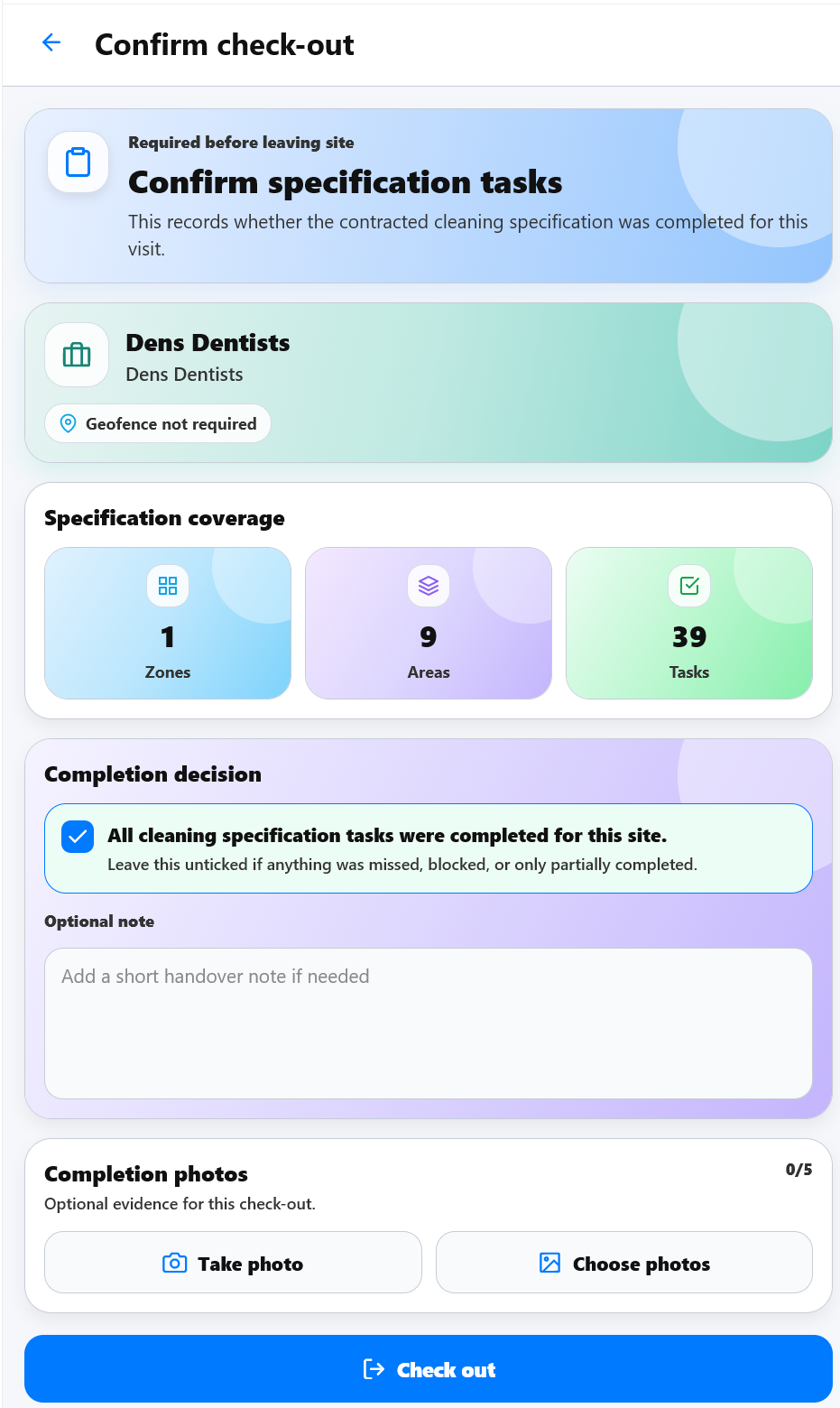 Check-out
Screens from the field
The app helps staff handle routine work, exceptions and follow-up without needing a separate spreadsheet, paper form or message thread.
Cleaner to supervisor communication
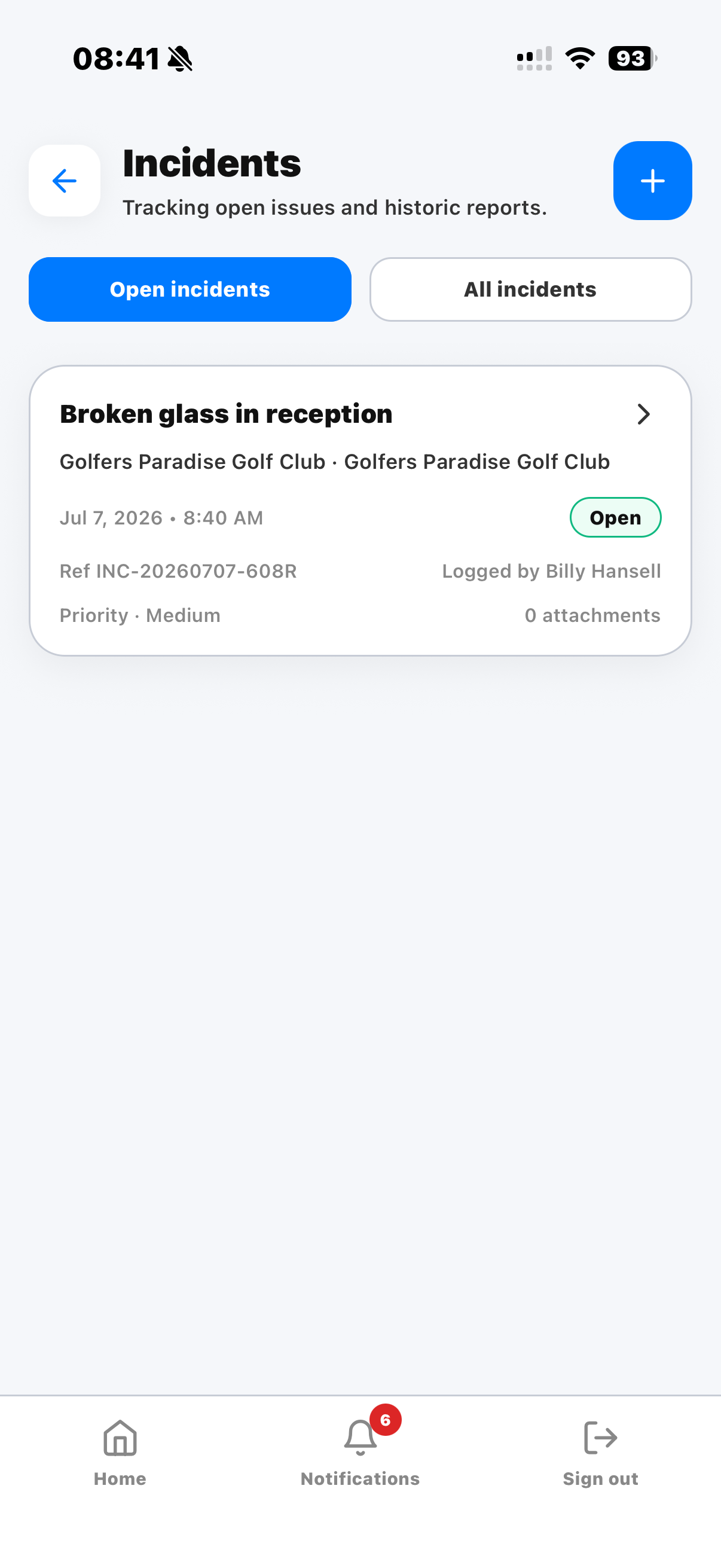 Incident reporting from site
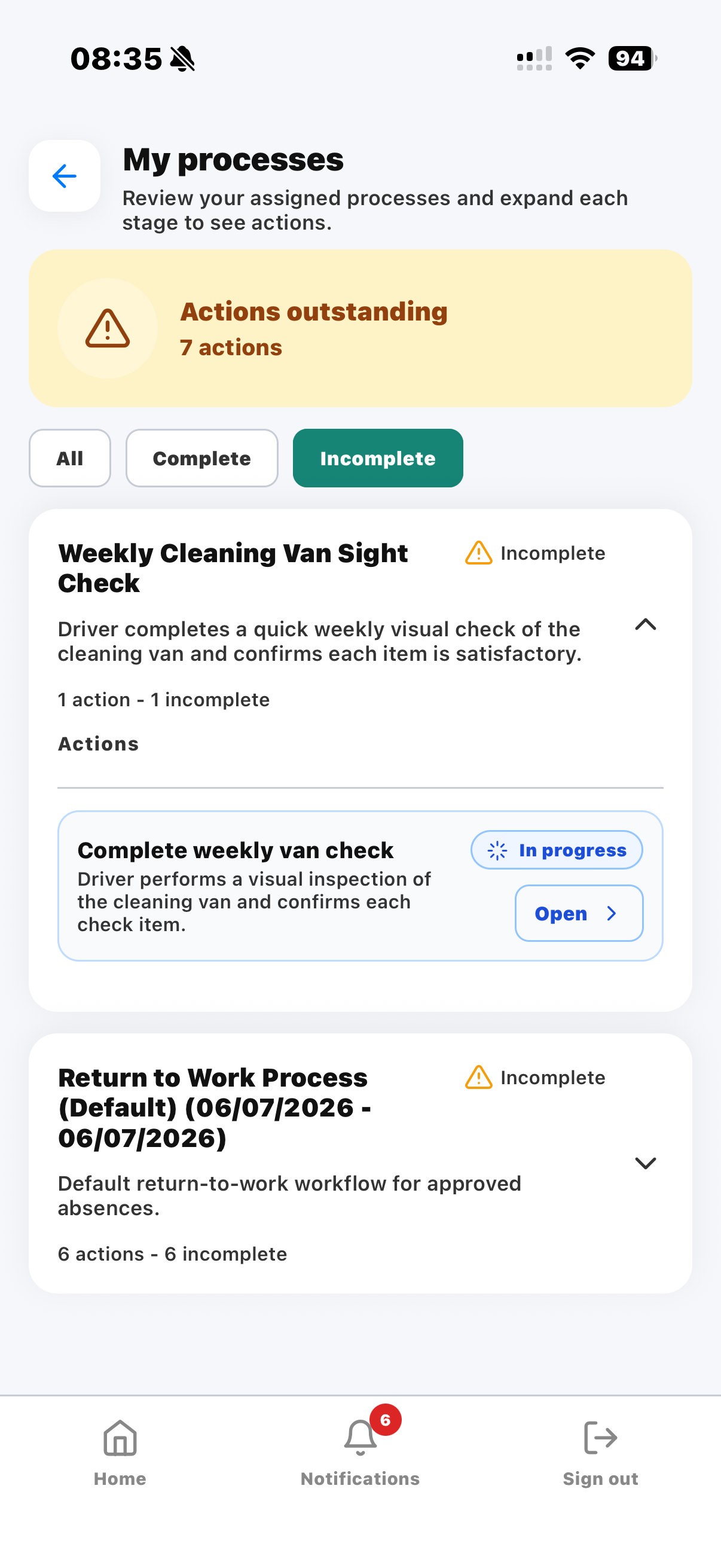 Assigned process actions
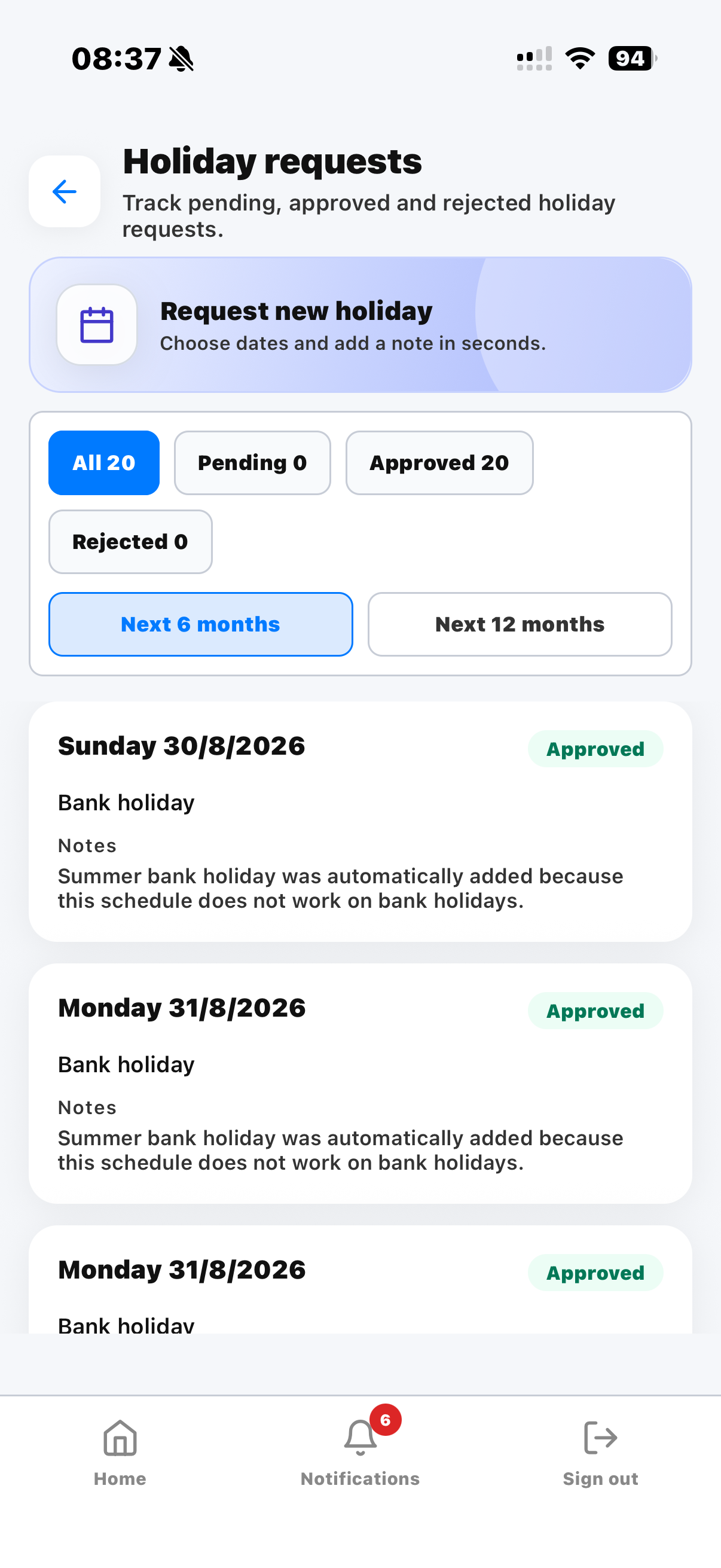 Holiday requests and staff records
When a cleaner reports a problem, the conversation can stay inside KleanFlo instead of becoming a separate text chain. Supervisors can ask for more detail, request a photo and keep the update connected to the operational record.
Published audit results can be made visible to the right staff, including overall scores, performance by designation and feedback notes. That helps cleaners understand what went well and what needs attention.
Broken glass, equipment issues, access problems or customer concerns can be logged while the detail is fresh. This gives supervisors faster visibility and creates a clearer history of what happened.
Weekly checks, return-to-work actions, corrective follow-up and other KleanFlo process tasks can be pushed to staff rather than sitting in the office waiting to be chased.
Audit detail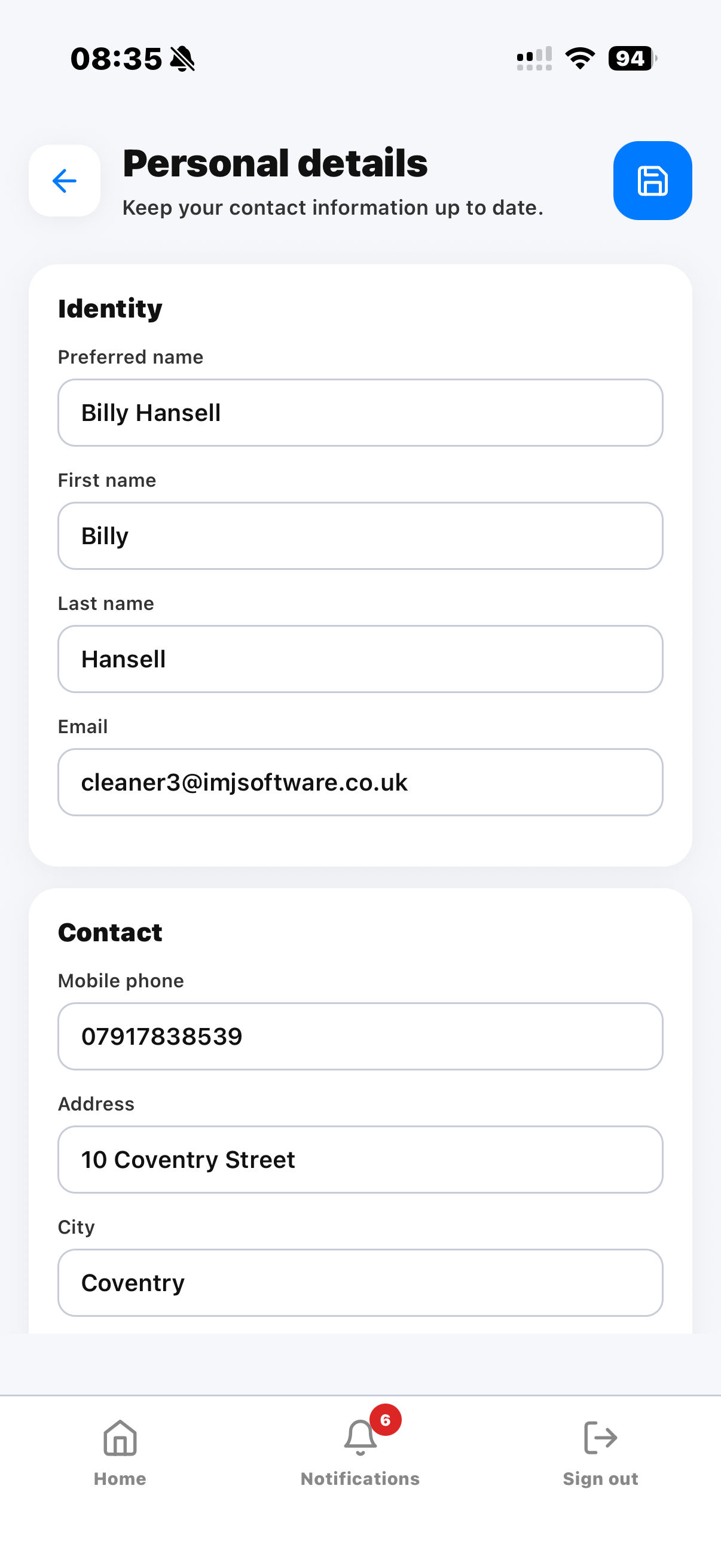 Staff detailsCheck-out
Cleaning companies often begin by trying to improve the rota. The bigger opportunity is workforce control: making sure the right cleaner has the right shift, knows the right site instructions, records attendance properly and can raise issues while they are still on site.
KleanFlo Staff helps turn the mobile app into part of the operating system for the cleaning workforce. It connects cleaner attendance tracking, mobile communication, audit feedback and process actions to the same customer, site and staff records used by the office team.
Who it helps
KleanFlo Staff is used by frontline teams, but the benefit is felt across the business. Commercial cleaning companies get better information from the people doing the work, and managers spend less time piecing records together afterwards.
See schedules, site notes, documents, audit feedback, conversations, incidents and actions from one mobile app.
Monitor attendance, respond to issues, publish updates and keep follow-up connected to the right site or staff member.
Track what is happening across multiple contracts without relying on scattered calls, texts and spreadsheets.
Use cleaner records to understand service delivery, recurring issues, audit outcomes and process completion.
Keep staff details, holiday workflows, return-to-work actions and assigned processes more organised.
Use attendance and reviewed hours as part of a clearer payroll preparation process.
The mobile app is not a standalone tool that creates another place to manage data. It is connected to the KleanFlo operating platform, so the information staff see is driven by schedules, customers, sites, documents, audits, incidents, holidays, conversations and processes managed in the web system.
That connection matters because commercial cleaning companies need one version of the truth. When a schedule changes, staff need to know. When an incident is raised, supervisors need visibility. When audit feedback is published, the right people need to see it. When a process action is due, the responsible person needs a simple way to complete it.
Cleaning work also happens in real buildings, including basements, schools, hospitals, warehouses and remote sites where mobile signal is not always perfect. KleanFlo Staff supports offline check-in and check-out, so cleaners can still record attendance when the connection drops and the record can be handled once the device is back online.
Common questions
A cleaning staff mobile app gives cleaners access to their schedules, site information, job instructions, documents, attendance actions, messages and operational tasks from a mobile device.
Yes. KleanFlo Staff supports mobile check-in and check-out so managers can review attendance activity and planned versus actual time.
Yes. KleanFlo Staff supports offline check-in and check-out, helping staff record attendance even when they are working in areas with poor mobile signal.
Yes. Staff can log incidents and updates while they are on site, helping supervisors respond quickly and keep a clear record.
Published audit results can be shown to assigned staff where appropriate, including scores, feedback and areas requiring attention.
Yes. Holiday request workflows help staff submit requests and help managers keep workforce records organised.
Staff can use KleanFlo conversations, incidents and relevant workflows to provide visual evidence where the feature is enabled for the process being used.
KleanFlo supports audit workflows for cleaning operations, including task, designation and zone audits. The right audit process depends on how the business wants audits assigned and reviewed.
KleanFlo Staff is designed for mobile use, including iPhone users.
KleanFlo Staff is designed for mobile use, including Android users.
Yes. Staff can view assigned schedules and shift information in the app.
Yes. KleanFlo Staff supports mobile workforce management for cleaning companies by connecting schedules, cleaner attendance tracking, site updates, incidents, documents and process actions to the wider KleanFlo platform.
Yes. KleanFlo helps cleaning companies organise staff around planned work, site requirements, attendance evidence, holiday workflows and operational follow-up.
KleanFlo communication tools help managers send updates and keep conversations connected to operational records.
Yes. Staff documents and site information can be made available in the mobile app.
For operational communication, KleanFlo gives commercial cleaning companies a more structured alternative by keeping messages connected to staff, sites, customers and work records.
KleanFlo keeps communication and process actions inside the platform. If acknowledgement workflows are required, they can be handled through configured process actions.
Staff can use incident reporting to record issues from site. The exact accident or health and safety process can be configured around the business process.
KleanFlo gives supervisors better visibility of schedules, attendance and updates from staff working away from the office. Any specific lone worker policy should be reviewed as part of implementation.
Replace paper, WhatsApp and missed messages with connected schedules, documents, incidents, audits, conversations, holidays and process actions.