
Shared conversation history
Keep staff questions and customer messages in one place
Most cleaning companies already use messaging apps somewhere in the business. That is understandable. Apps such as WhatsApp are fast, familiar, and useful for everyday communication.
But operational cleaning conversations are different from casual messages. They often relate to a customer, a site, a shift, a missed task, an audit, a supervisor visit, a photo, a staff member, or a customer complaint. When that information sits outside the cleaning management system, the business can lose context.
The goal is not to replace every message your team sends. The goal is to keep service-critical conversations in a shared KleanFlo communication area instead of scattered across individual phones.
What KleanFlo conversations can do
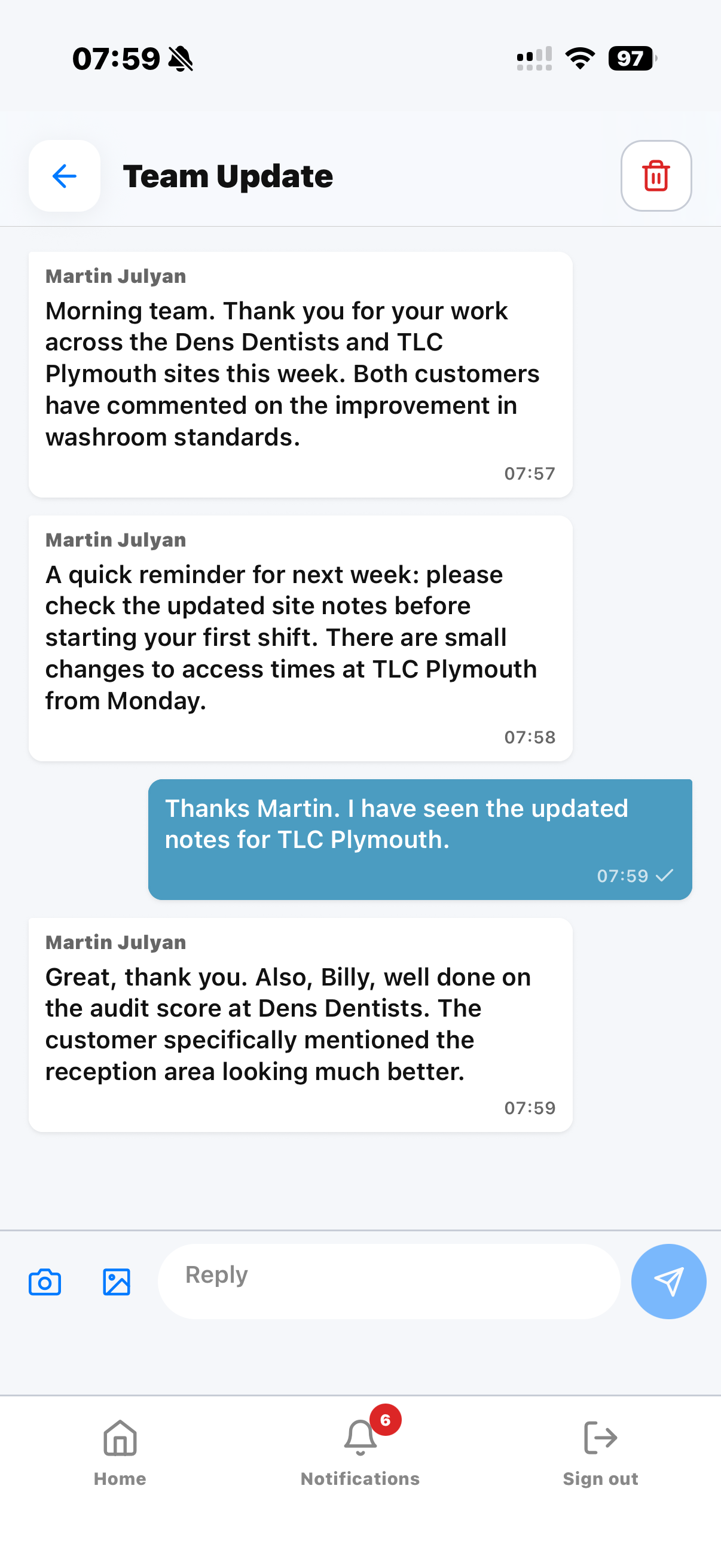
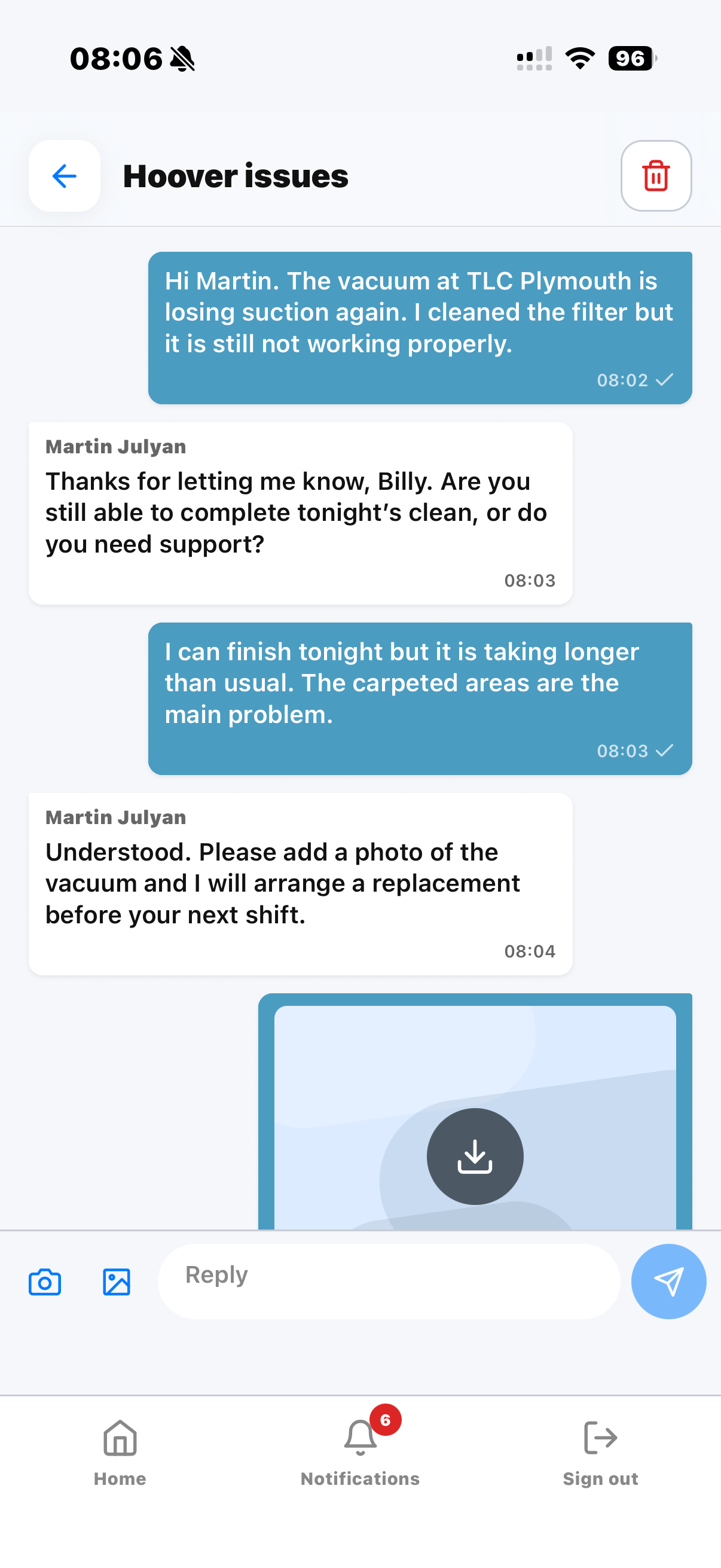
A supervisor can start a conversation from the web app or from KleanFlo On the Move. They can include one or more staff members, one or more supervisors, and a customer where customer involvement is needed. A customer can also start a conversation from the customer portal with their allocated supervisor, and a staff member can start a conversation from the Staff app with a supervisor. Images can be added by everyone involved.
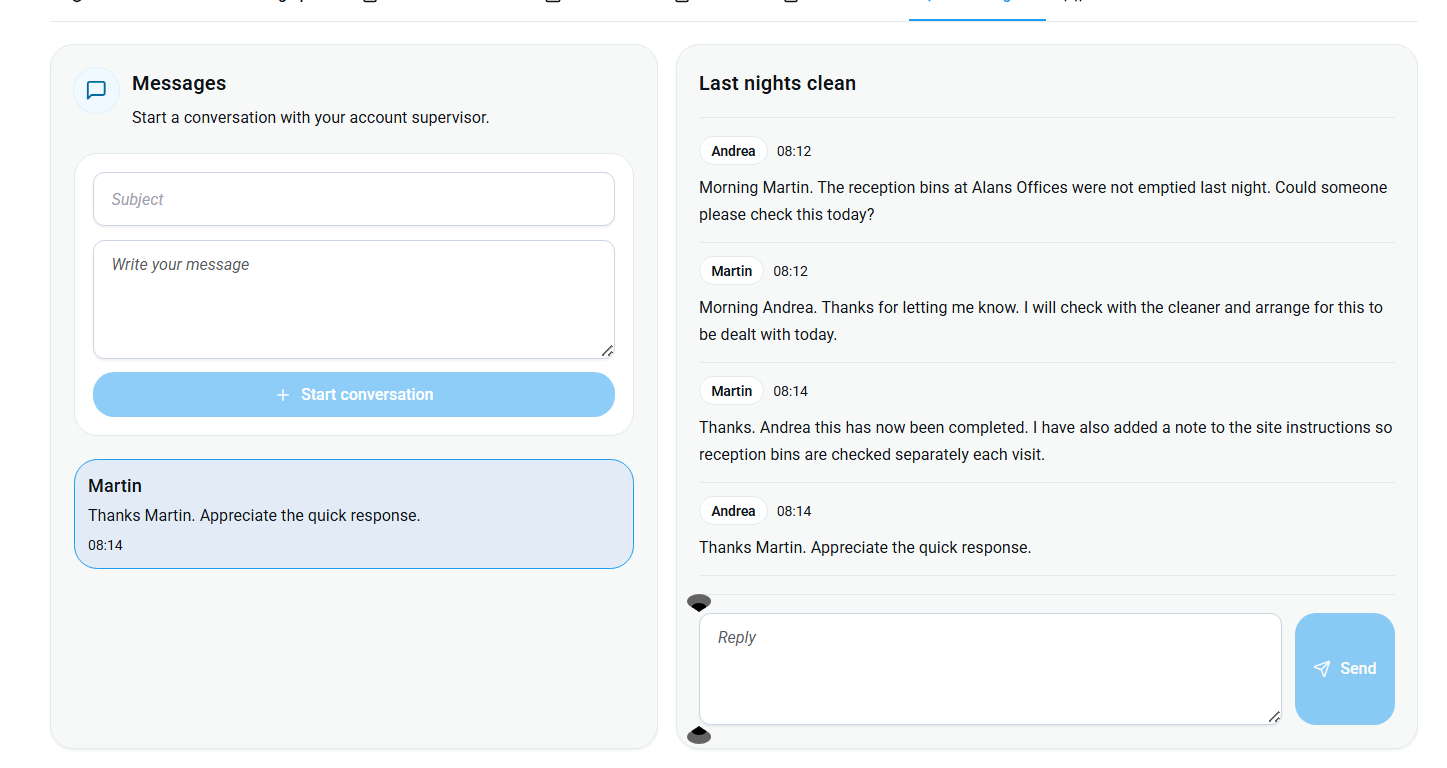
That means a simple operational issue, such as a missed reception bin, can be raised, answered, followed up, photographed, and kept in the conversation history instead of disappearing into a private chat thread.
Broadcast updates to your staff
Use the Conversations Broadcast feature when staff need the same company update. Share the announcement through KleanFlo, and use individual conversations for questions or issues that need a supervisor's reply.
Why this matters more than it first appears
Cleaning operations depend on evidence and follow-through. If a customer calls about a missed task, a supervisor needs to know who was assigned, what was said, whether the cleaner responded, whether a photo was added, and whether the issue was closed.
When that conversation is inside KleanFlo, it is visible to the right people in the business. It supports accountability without forcing managers to search through personal phones or ask people to forward screenshots.
Benefits for cleaning companies
- Keep customer, site, staff, and service conversations in one place.
- Reduce lost context when supervisors, cleaners, or office staff change.
- Give staff a direct way to start or reply to supervisor conversations from the app they already use for their work.
- Give customers a controlled way to start or reply to conversations through the customer portal.
- Keep photo evidence alongside the conversation instead of scattered across phones.
- Support faster follow-up on missed tasks, incidents, complaints, audits, and site checks.
A practical example
The customer portal example above shows a conversation about a missed reception bin. A supervisor can use a shared thread to coordinate the response:
- Raise the concern. The customer explains the issue through the portal, with a photograph where useful.
- Agree the follow-up. The supervisor replies and includes the staff member who needs to take part.
- Keep the response visible. The cleaner adds a reply or photograph after the follow-up, giving the people in the conversation a record they can review.