
Lone worker safety
Cleaning work often happens out of sight
Offices are cleaned before employees arrive. Schools are cleaned after pupils have gone home. Retail, healthcare and industrial sites are often serviced outside normal opening hours. For many commercial cleaners, working alone is not unusual. It is part of everyday life.
Lone working is not automatically a problem, but it does need managing. Without colleagues nearby, even a minor incident can become more serious if help is not available quickly. A cleaner who slips, feels unwell, becomes locked in a building or faces a security concern needs a clear way to get support.
A good lone worker process protects employees, reduces operational risk and gives customers confidence that your cleaning business takes staff welfare seriously.
This guide is general operational guidance, not legal advice. Cleaning companies should always follow current health and safety guidance, complete suitable risk assessments and get professional advice where required.
What is a lone worker?
A lone worker is someone who works without close or direct supervision. In commercial cleaning this can include early morning office cleaners, evening contract cleaners, school cleaners, mobile cleaning teams, key holders, weekend cleaners, supervisors carrying out inspections and one-off cleaning operatives.
The Health and Safety Executive explains that employers must manage the risks of working alone, including training, supervision, monitoring, keeping in touch and responding to incidents. The HSE also publishes specific guidance on protecting lone workers through INDG73.
Why lone working deserves attention
The risks are often practical rather than dramatic. A cleaner may be working in a locked building. The lighting may be poor in a car park. A piece of equipment may fail. A chemical may be used incorrectly. A member of staff may feel unwell and have nobody nearby to notice.
Common lone working risks for cleaning companies include slips, trips and falls, medical emergencies, aggressive behaviour, equipment failures, chemical exposure, locked buildings, fire, unfamiliar locations, fatigue, poor communication and personal security concerns.
Most of these risks can be reduced with planning, training, site information, communication and a clear procedure for checking that staff have arrived and left safely.
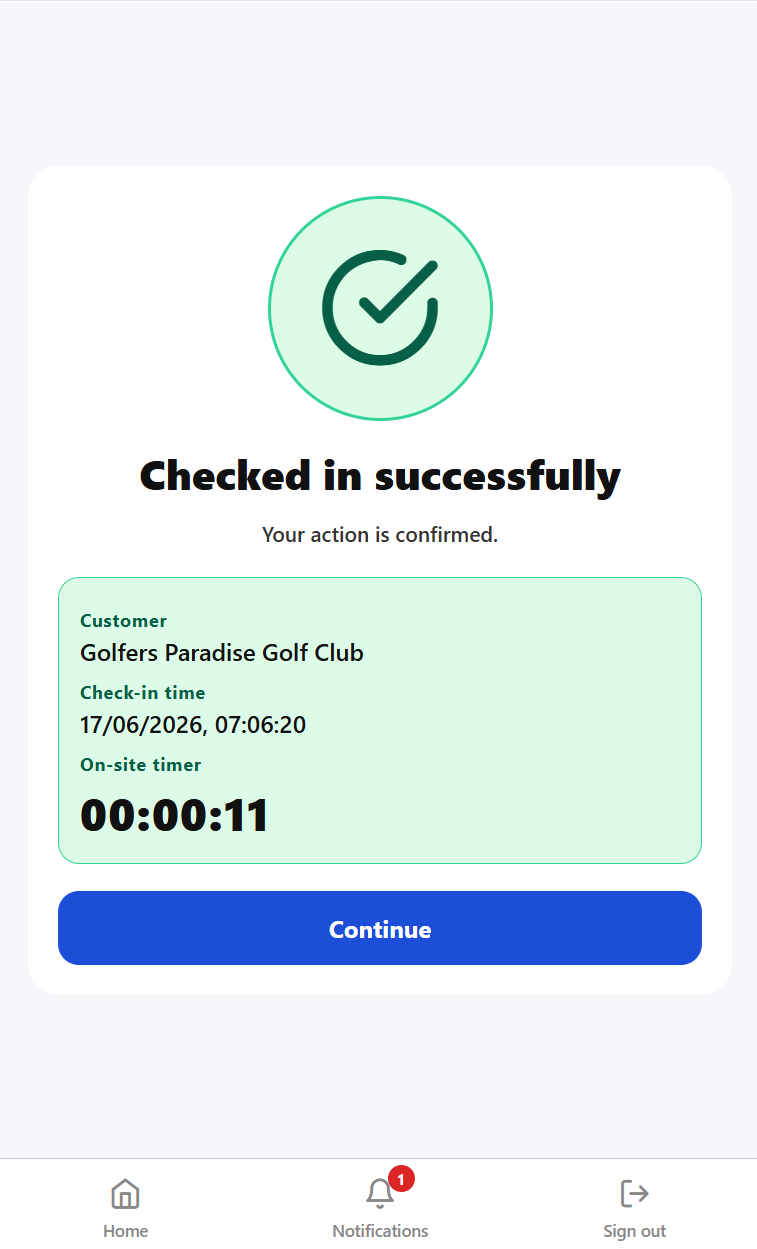 Check-in confirms the cleaner has arrived and started the scheduled shift.
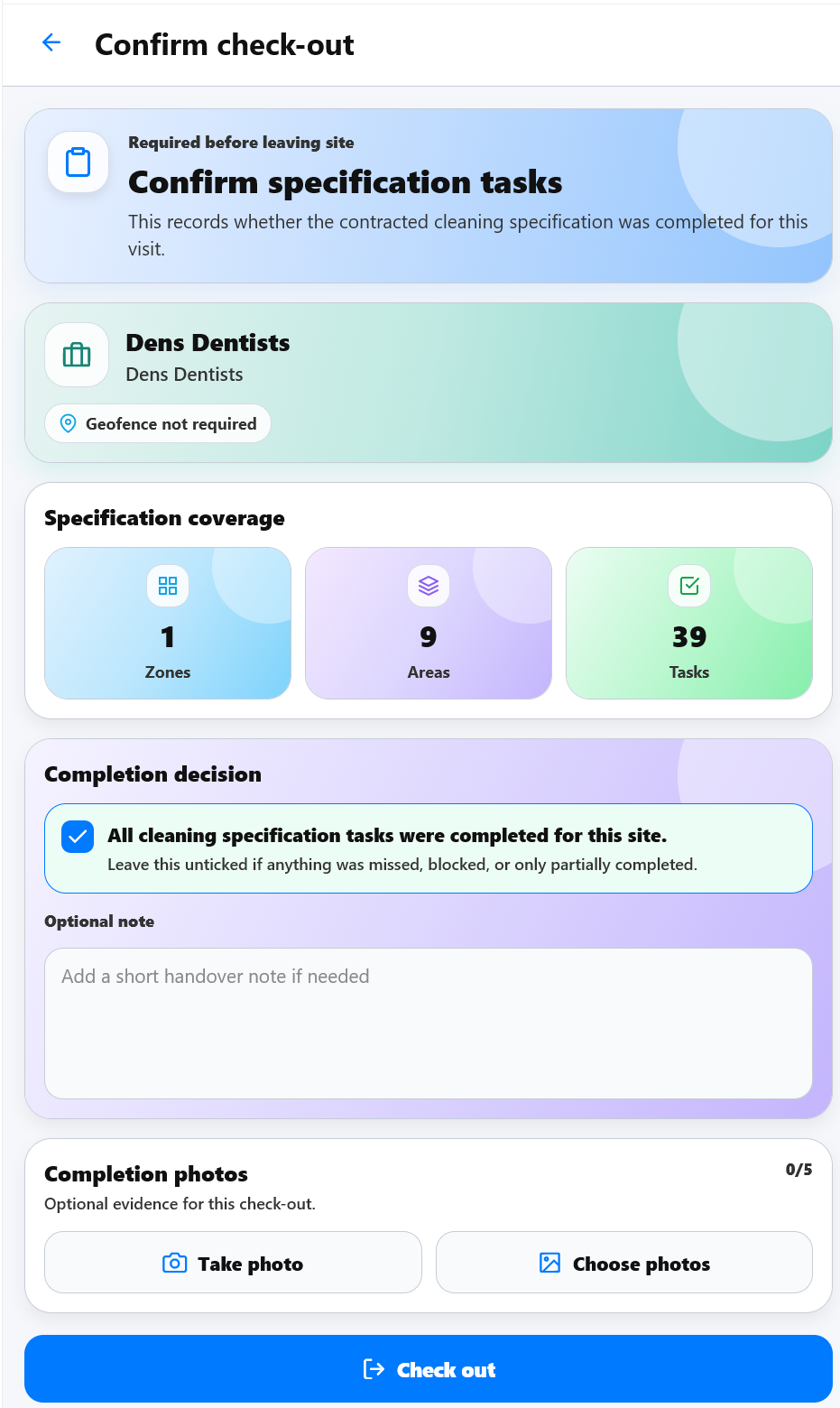 Check-out confirms the cleaner has finished and left the site safely.
Employer responsibilities
Good employers do not simply send someone to a customer site and hope everything goes well. They make sure risks have been assessed, staff have received suitable training, emergency procedures are understood and managers know where employees are working.
For cleaning companies, this means site-specific instructions matter. A cleaner should know how to enter the building, where to park, which areas are out of bounds, what to do if an alarm activates, who to contact in an emergency and how to report an issue before it becomes a bigger problem.
Lone worker safety checklist
Why check-in and check-out matter
One of the simplest lone worker procedures is requiring staff to check in when they arrive and check out when they leave. Checking in confirms the employee has arrived safely. Checking out confirms they have completed the shift and left the site safely.
Without a structured process, supervisors may not realise something has gone wrong until much later. A cleaner may forget to leave, become unwell, suffer an accident, overrun significantly or simply forget to tell anyone that the shift has finished.
Check-in and check-out does not replace a lone worker policy, but it gives the business a practical operating signal that can support the policy every day.
Automatic alerts for missed check-outs
KleanFlo can support lone worker procedures with automatic supervisor alerts for missed check-outs. Every scheduled shift has an expected finish time. If a cleaner has not checked out within a configurable period after that finish time, for example 15 minutes, KleanFlo can notify the assigned supervisor.
That prompt allows the supervisor to contact the employee, confirm they are safe, check whether the shift has overrun, establish whether help is required or identify whether the cleaner has simply forgotten to check out.
This is a useful safeguard because it does not rely on someone remembering to make a manual phone call. The system prompts the supervisor while the situation is still current.
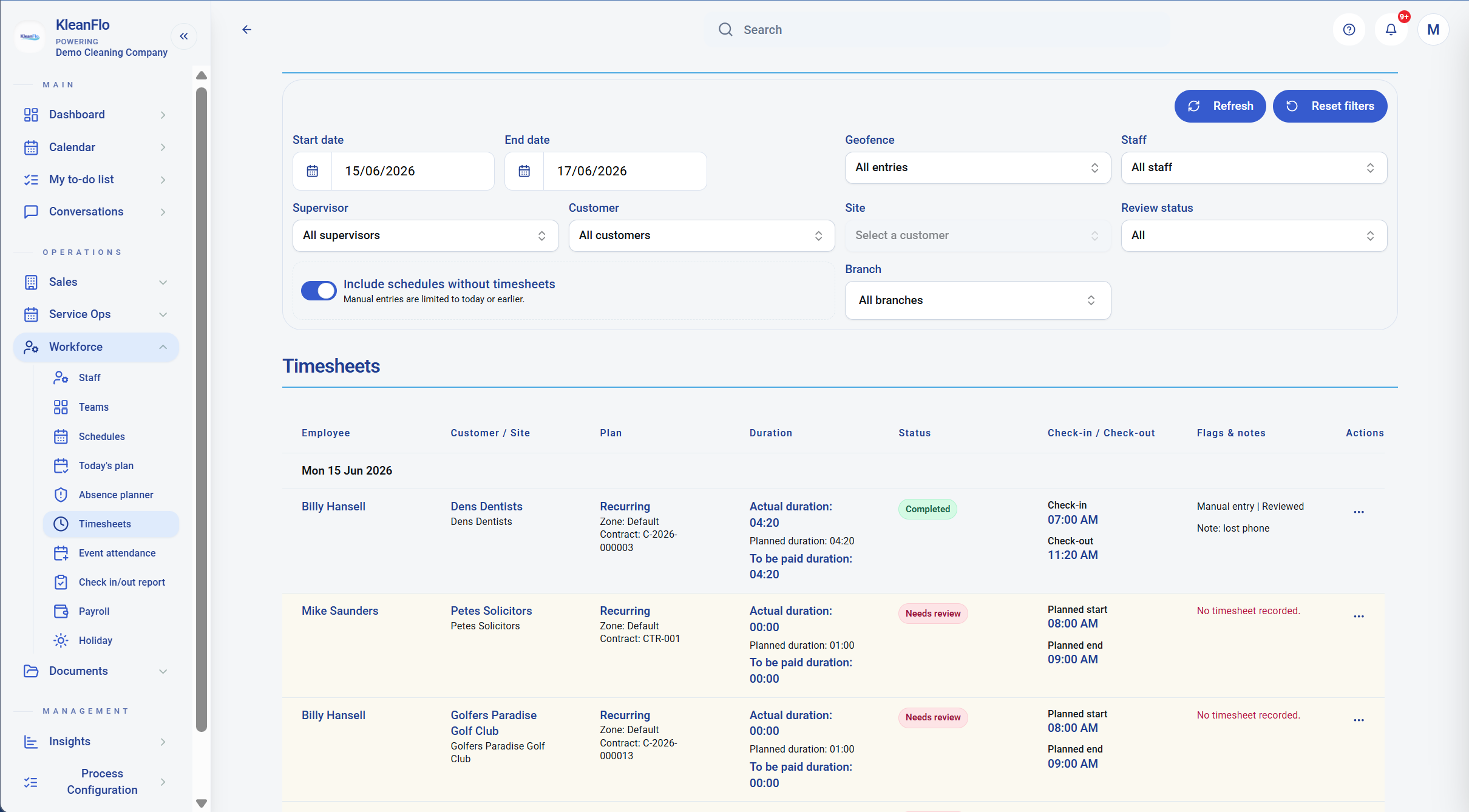 Timesheet and attendance visibility helps managers review what happened after the shift.
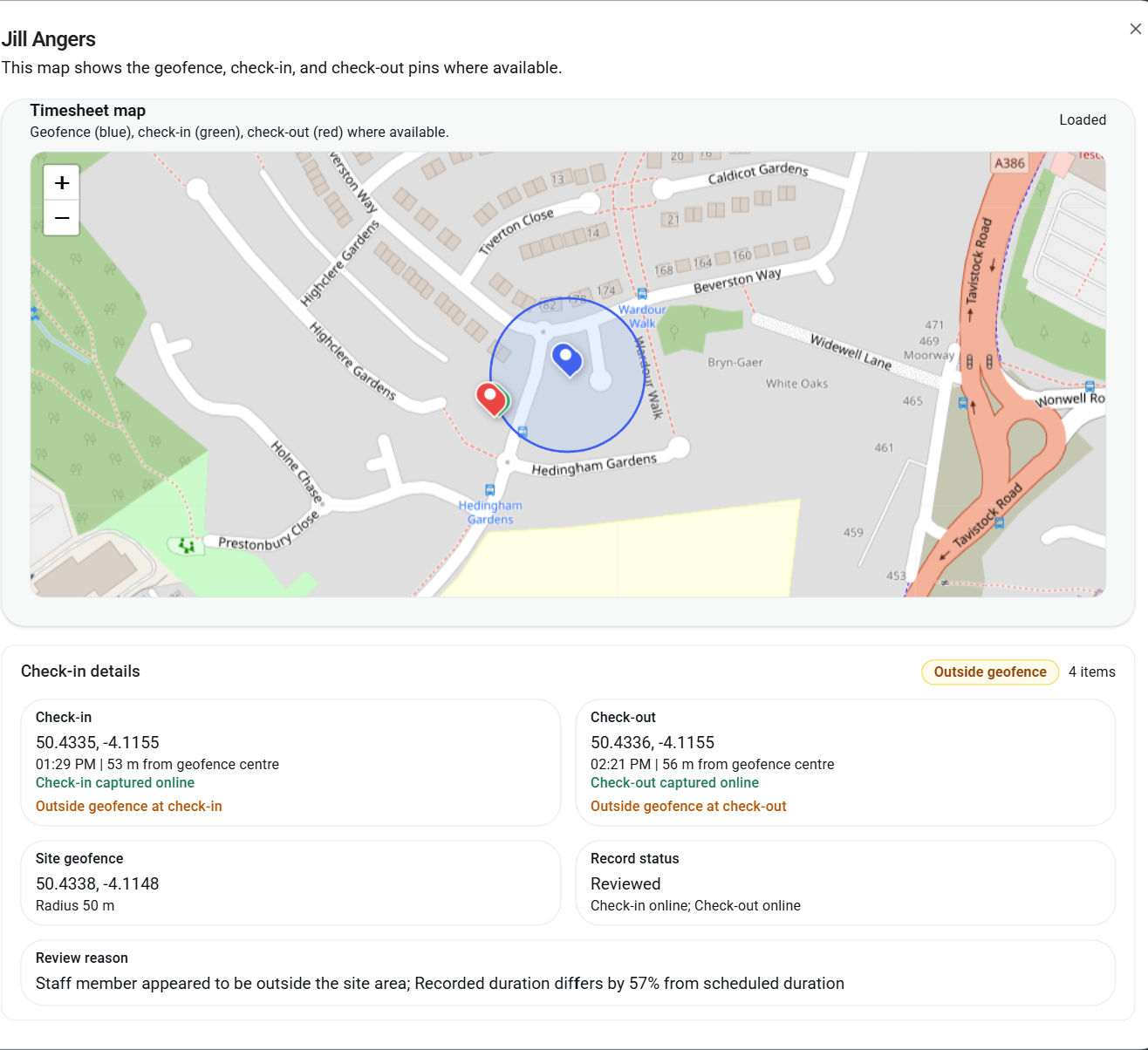 Location evidence can help supervisors review attendance where geofencing is used.
Ten best practices for managing lone workers
1. Complete site-specific risk assessments
A school, warehouse, office and medical practice all present different risks. Risk assessments should reflect the actual environment and the time of day the cleaner works.
2. Train every lone worker
Training should cover personal safety, manual handling, COSHH, fire procedures, emergency contacts, incident reporting and site security.
3. Keep managers informed
Managers should know where staff are working, when they started, when they are expected to finish and how to contact them.
4. Encourage immediate reporting
Unsafe conditions, equipment failures, security concerns, near misses and accidents should be reported quickly while the detail is fresh.
5. Keep site information current
Cleaning specifications, site notes, access details, emergency contacts and documents should be easy for staff to access.
6. Maintain regular communication
Communication should not only happen when something goes wrong. Regular contact helps lone workers feel supported.
7. Review customer sites regularly
Buildings change. Access arrangements change. Risks change. Site information should be reviewed and updated.
8. Support wellbeing
Working alone can feel isolating. Simple check-ins and regular conversations help staff feel valued.
9. Prepare for emergencies
Every cleaner should know who to contact, how to raise an alarm, where to go in a fire and how to request assistance.
10. Learn from every incident
Every incident should help improve the process. Ask what happened, why it happened and what should change.
Warning signs your process needs improving
Your lone working procedures may need review if staff regularly forget to check out, supervisors do not know where staff are working, incidents are not reported quickly, site information is out of date, risk assessments have not been reviewed, or different supervisors follow different processes.
Another warning sign is over-reliance on personal messaging apps. WhatsApp can be useful, but it is not a complete lone worker safety process. Important information needs to sit somewhere the business can review and manage.
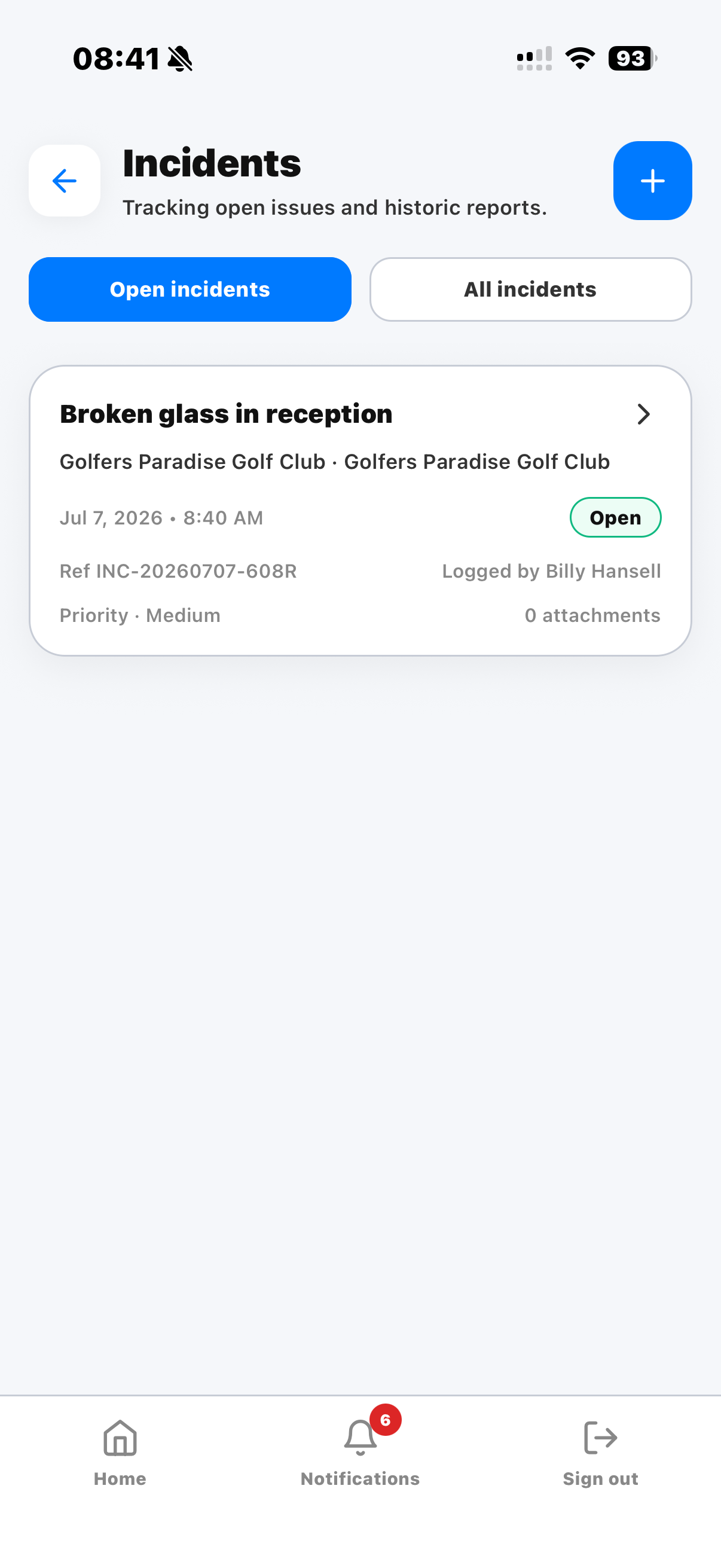 Incident reporting gives lone workers a structured way to record issues.
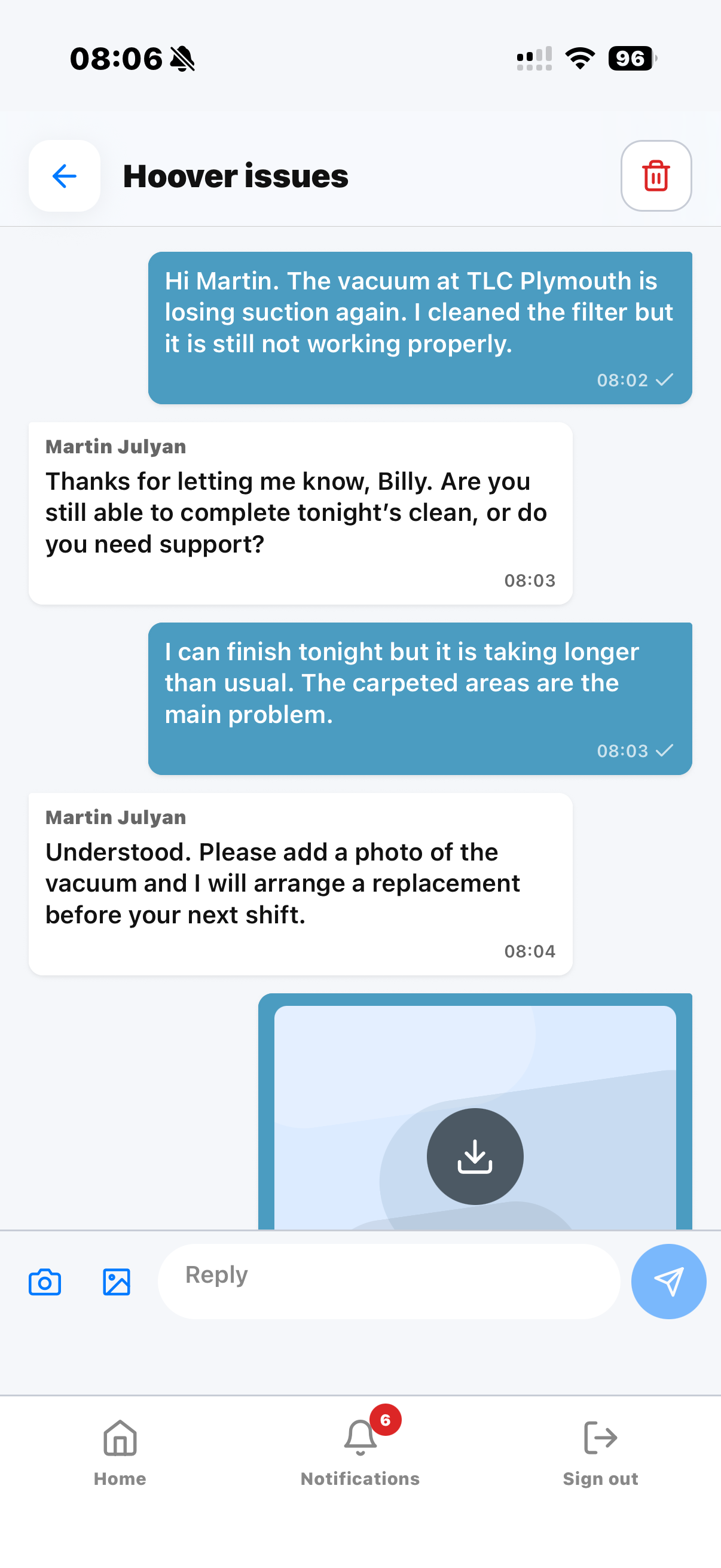 Staff can raise issues and communicate with supervisors from the mobile app.
How technology supports lone worker safety
Technology should never replace good management. It should make good management easier. Modern cleaning management software can support lone worker safety by providing digital schedules, site instructions, check-in and check-out, incident reporting, supervisor communication, documents, audit feedback, corrective actions, holiday requests, attendance records and operational history.
Having this information in one place reduces confusion. It also gives managers a clearer picture of what is happening across every customer site.
How KleanFlo helps protect lone workers
KleanFlo Staff has been designed for commercial cleaning companies whose employees often work alone. Cleaners can view today's schedule, access customer information, read site-specific instructions, check in and check out, report incidents, upload photos, receive announcements, access documents, complete assigned actions, view audit feedback, request holidays and communicate with supervisors.
Managers benefit from greater operational visibility, live attendance information, better communication, incident reporting, audit history, process management and automatic supervisor alerts for missed check-outs.
Instead of relying on paper records, phone calls and memory, managers have a clearer view of what is happening across the cleaning operation.
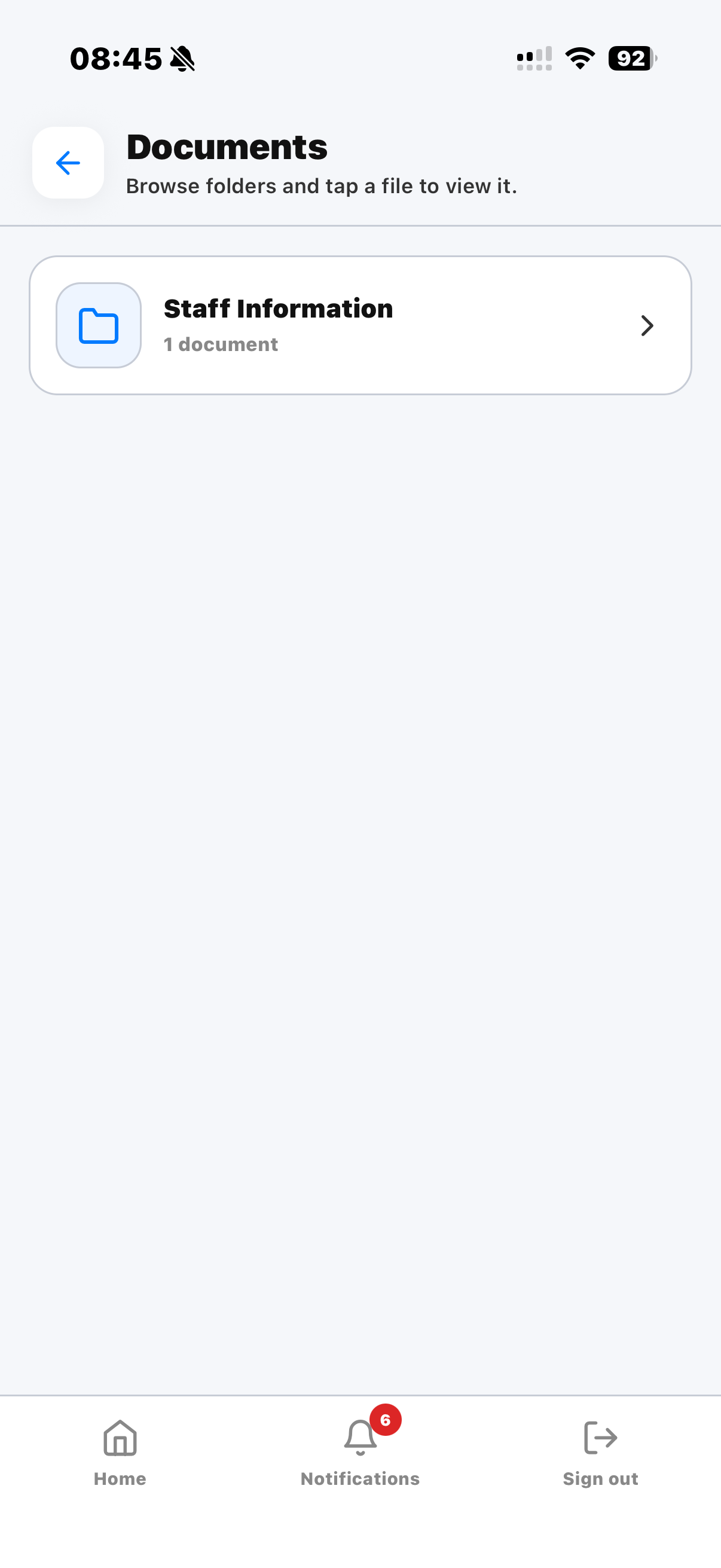 Documents and staff information can be made available in the app.
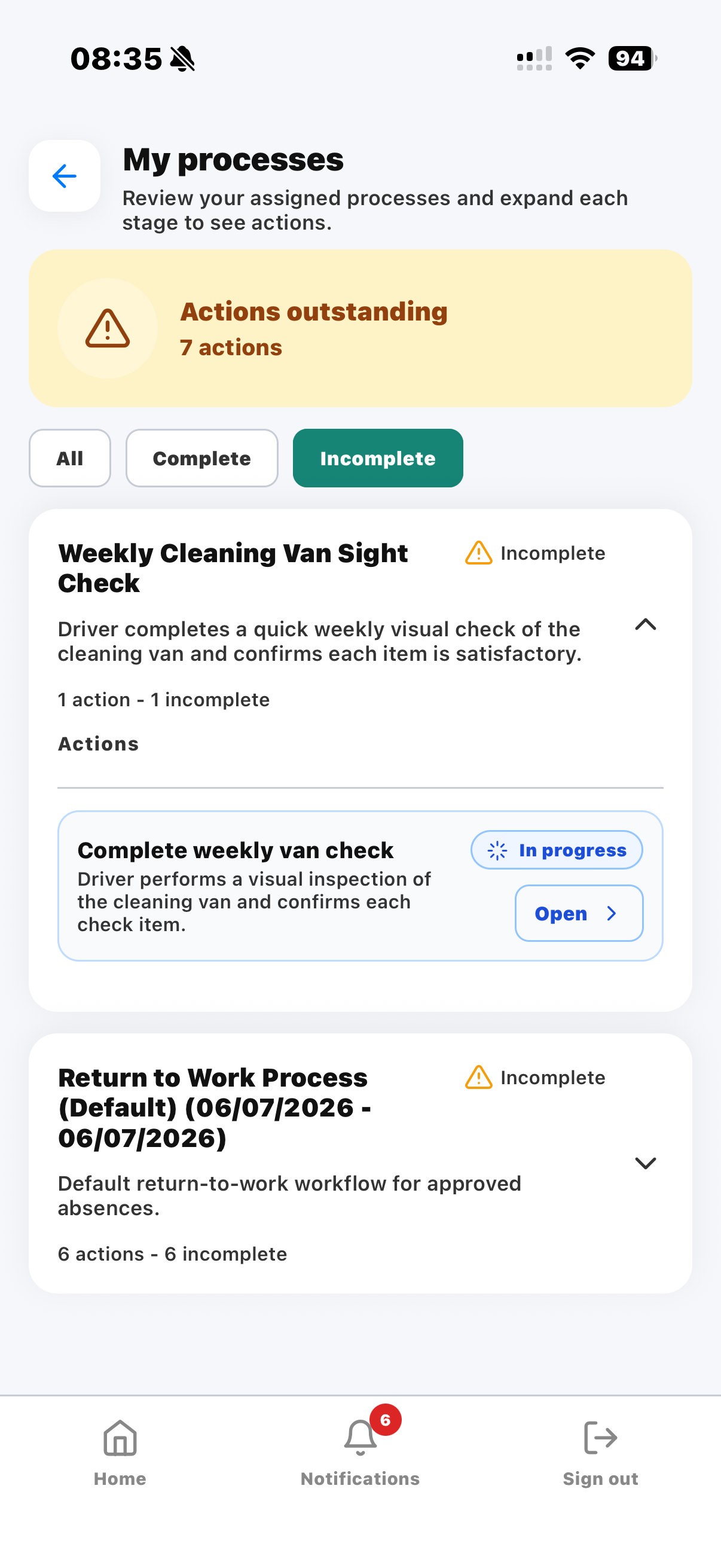 Assigned process actions help staff complete follow-up work consistently.
Building a culture where lone workers feel supported
Protecting lone workers is not only about compliance. It is about creating a business where employees know somebody knows where they are, somebody notices if something is not right and somebody is available when they need help.
When employees feel supported, they are more confident, more engaged and more likely to stay with the business. Good communication, good supervision and the right technology work together to create a safer workplace.
Further guidance
For official guidance on lone working responsibilities and employer duties, review the HSE resources on managing the risks of working alone and protecting lone workers.