
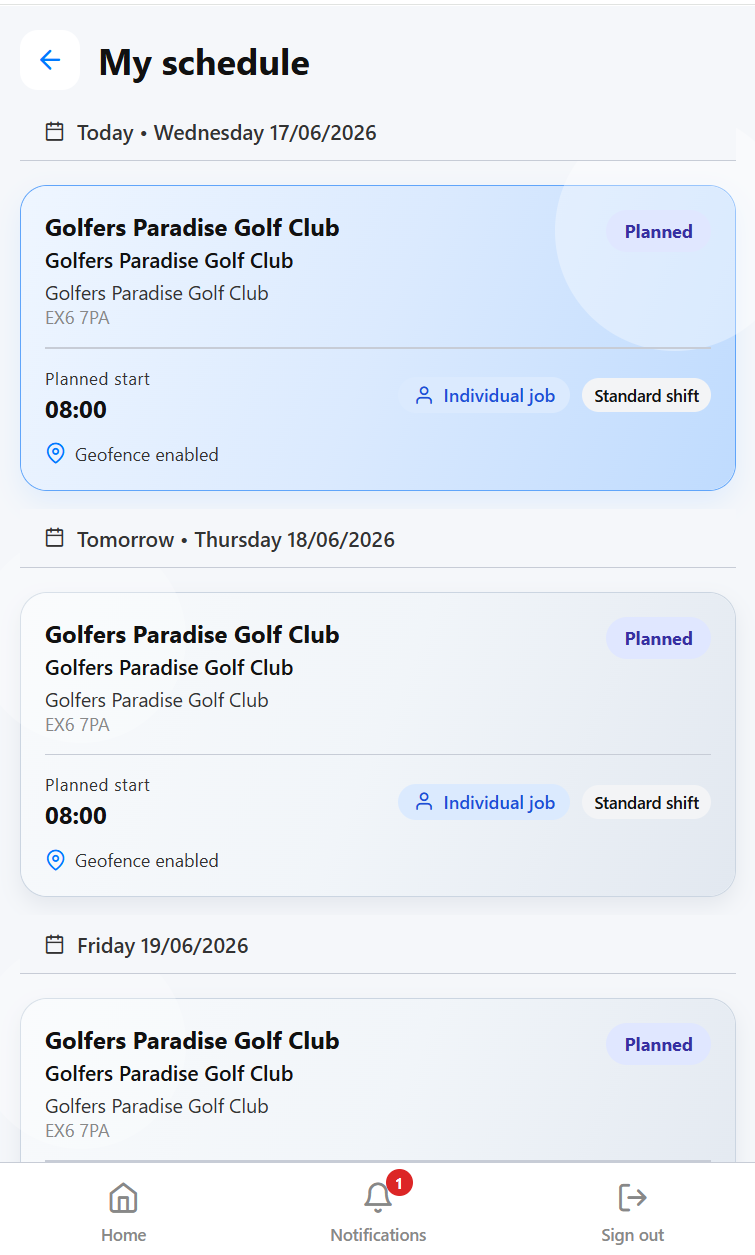
Why mobile schedules matter
Cleaning staff often work away from the office, outside normal hours and across multiple customer sites. A rota printed on Monday can be out of date by Wednesday. A text message may tell someone where to go, but it rarely includes the full job context.
A mobile schedule should give the cleaner the shift, customer, site, time, task detail, access notes, documents, contact route and attendance action in one place. That reduces calls to the office and gives managers a clearer record of what happened.
The mobile schedule is where the rota becomes usable by the people doing the work.
What cleaners need on mobile
- Today's work and upcoming scheduled shifts.
- Customer and site name with address and practical access notes.
- Start time, finish time, expected duration and supervisor instructions.
- Cleaning specification, documents, process actions and task notes.
- Check-in and check-out controls with the right proof method for the site.
- Conversations, incidents, audits or follow-up actions linked to the work.
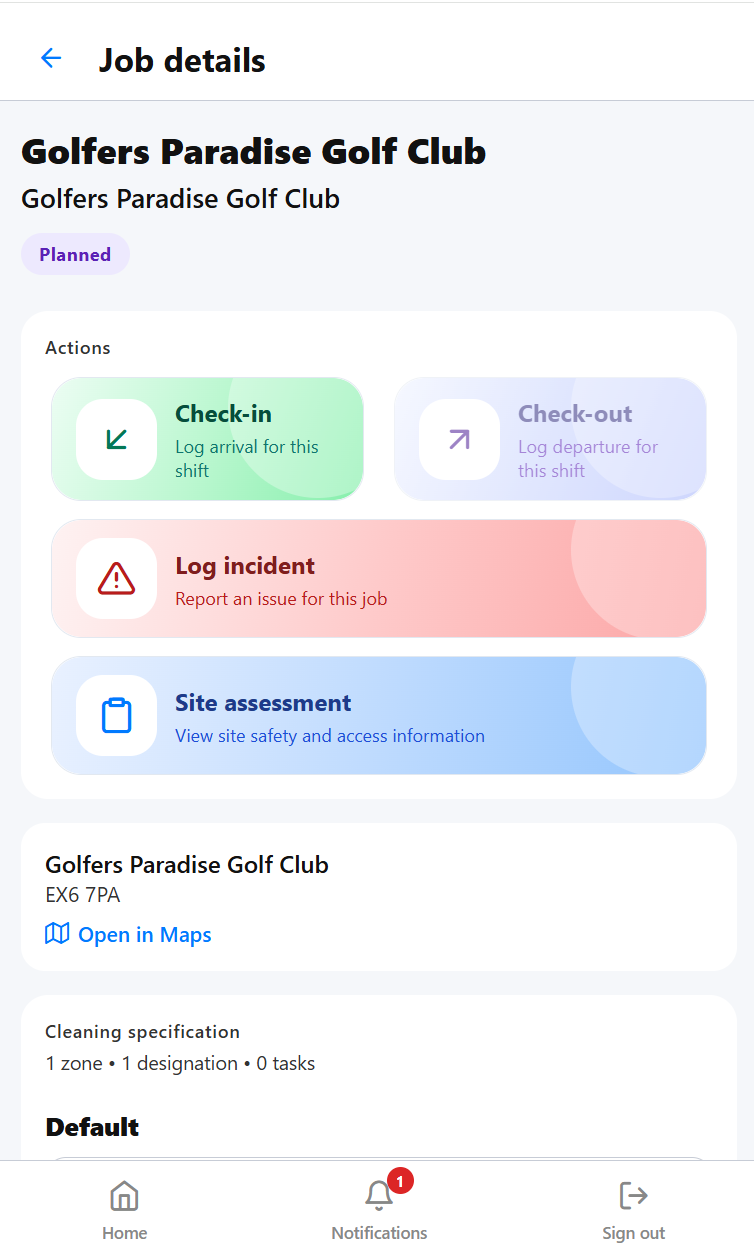 Job details help cleaners understand the site and shift before they arrive.
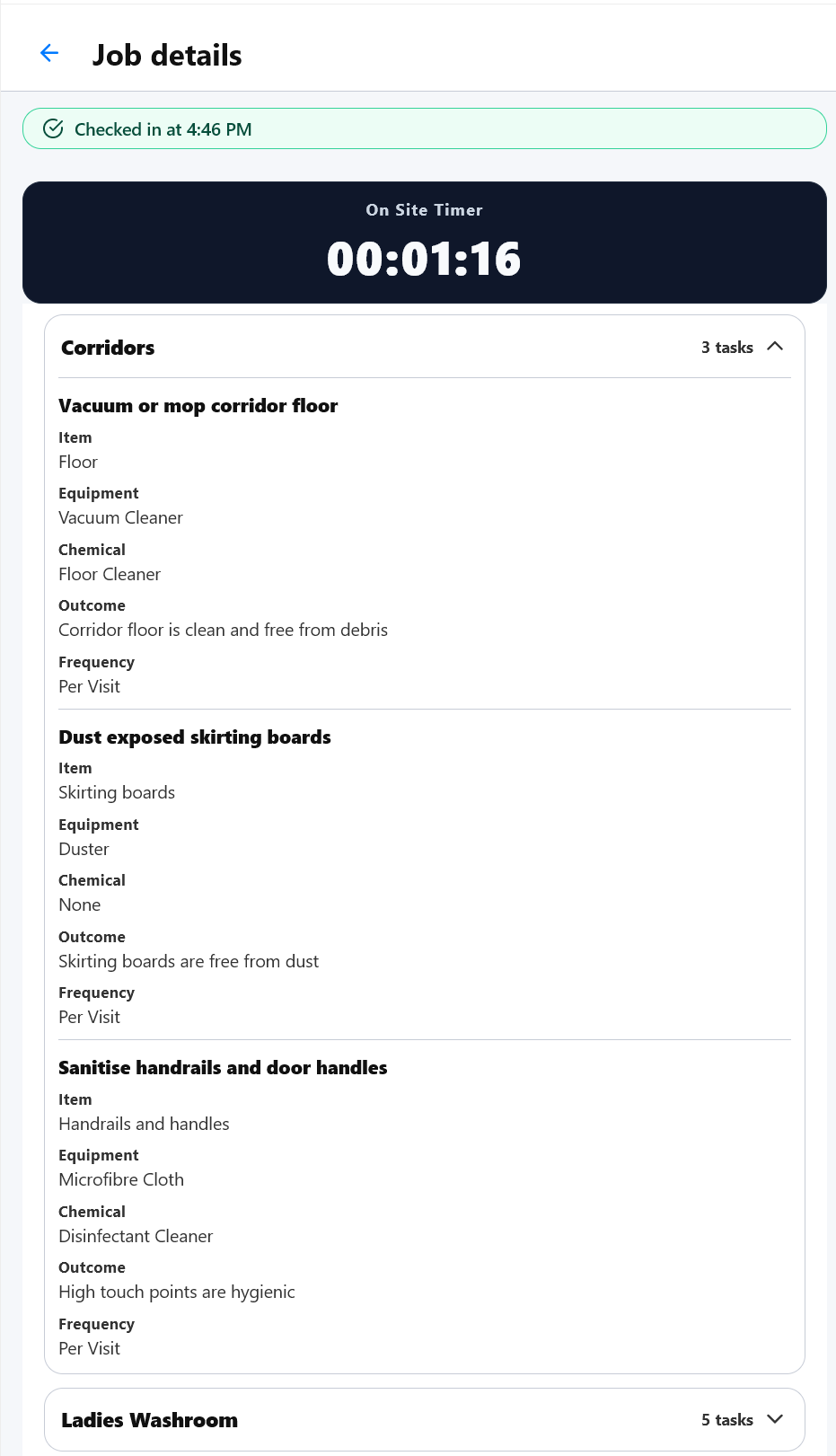 Cleaning specifications keep task expectations visible to the person doing the work.
Keep changes controlled
Mobile schedules are useful because commercial cleaning changes constantly. A cleaner may need cover, a shift may be moved, a site may add an extra clean or a supervisor may update instructions. Those changes should be managed from the system so the office and field team are working from the same record.
That is stronger than telling staff through separate messages, because the change remains attached to the schedule and can be checked later.
Connect mobile schedules to attendance
When the cleaner opens the shift on mobile, check-in and check-out should be part of the same workflow. That gives the business a cleaner link between planned work and actual attendance. If the shift was missed, late, short or checked in outside the expected location, managers can review the exception against the schedule.
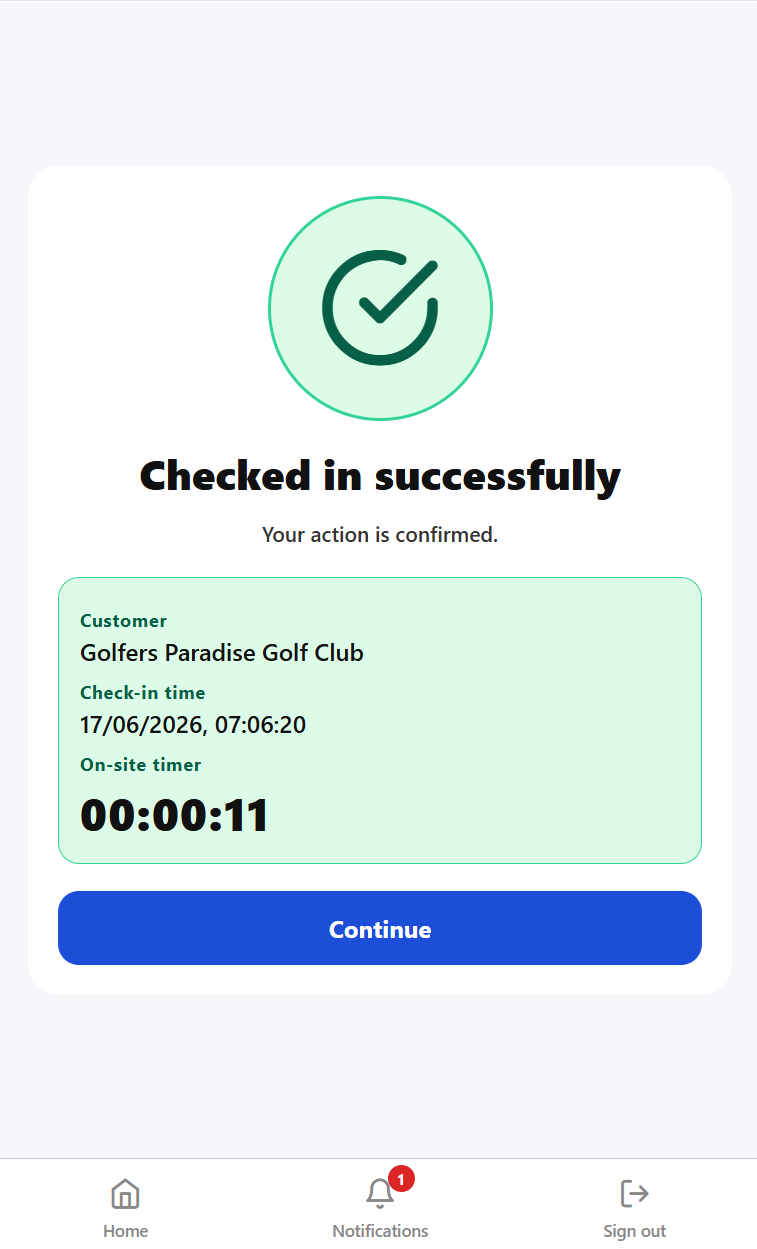 Check-in connects the mobile schedule to attendance evidence.
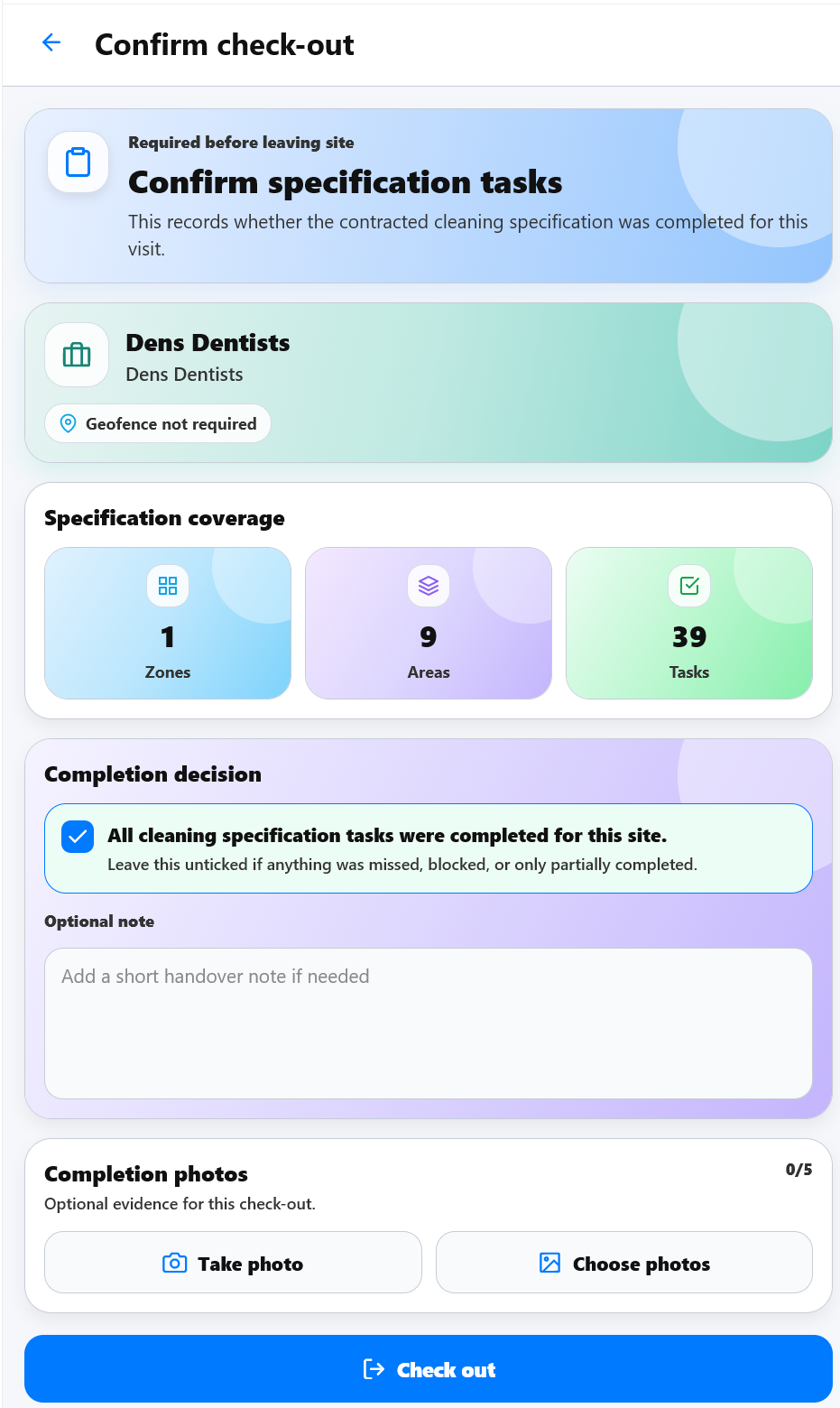 Check-out helps complete the shift record so timesheet review has better evidence.
Where KleanFlo fits
KleanFlo Staff and On the Move help cleaning companies connect office schedules with mobile work. Cleaners can see the shifts and site information they need, while supervisors and office teams can review attendance, issues and follow-up without rebuilding the story from messages.