Mobile app for cleaning employees working across customer sites
Published: 8 July 2026Reading time: 8 minutes
Cleaning employees need clear information at the point of work. They need to know where they are going, what time the shift starts, what the site requires, how to record attendance, how to raise an issue and where to find the latest instruction without waiting for the office to reply.
Why cleaning employees need more than a rota message
A rota tells a cleaner where to be and when to arrive. It does not always tell them what has changed, which entrance to use, what document applies to the site, what to do if equipment is missing, or how to report a problem that needs follow-up.
When that information lives in separate messages, paper files and phone calls, staff lose time and managers lose visibility. The cleaner may do the right thing, but the business still has no clean record of what happened.
This matters because cleaning employees often work alone, outside office hours, across several customer locations or in buildings where each site has different access rules, specifications and customer expectations. A mobile app should reduce uncertainty at the start of the shift and create a better operational record at the end of it.
A good employee mobile app is not just a rota viewer. It is the frontline connection between the planned work, the employee doing the work and the office team responsible for service delivery.
What employees should be able to do from mobile
View their schedule and assigned sites.
Open job details, customer notes and site instructions.
Access cleaning specifications and documents.
Check in and out for attendance visibility.
Report incidents, equipment issues or access problems.
See relevant audit feedback and process actions.
Request holidays and keep staff details up to date.
How KleanFlo Staff helps
KleanFlo Staff is the mobile app for cleaning employees. It connects schedules, site details, documents, attendance, incidents, conversations, audit results, holiday requests and process actions to the same operational platform used by the office team.
That matters because cleaning work happens away from the office. When staff use the app during the shift, managers get a better record without relying on scattered messages after the fact.
Staff can report operational issues from site.Process actions can reach the person responsible for completing them.
Before the shift: remove uncertainty
The first job of a mobile app is to help the cleaner arrive prepared. Staff should be able to see the customer, site, planned time, expected duration and any notes that affect access or completion. If the cleaner needs a site specification, task list or document, it should be available before they arrive.
This reduces the number of calls to supervisors and avoids avoidable mistakes such as attending the wrong entrance, following an old instruction or missing a site-specific requirement.
During the shift: capture the useful record
During the shift, the mobile app should support the work without getting in the way. Cleaners need simple actions: check in, review the site details, report an incident, send an update, complete an assigned action or check out. The point is not to add admin to the cleaner's day. The point is to capture useful operational information while the detail is fresh.
ScheduleThe employee can see where they are assigned and when the work is expected to happen.
Site detailNotes, specifications and documents reduce uncertainty at the point of work.
AttendanceCheck-in and check-out help the office review planned versus actual attendance.
UpdatesIncidents, messages and process actions keep the operational record connected to the site and employee.
After the shift: give managers something they can act on
The office should not have to reconstruct the shift from a phone call, a paper note and three separate WhatsApp messages. When the mobile app is connected to the operating platform, managers can review attendance, site issues, audit feedback, conversations and process actions in context.
That creates a stronger record for supervisors, payroll, customer service and operations. It also helps the business spot recurring problems: access issues at one site, repeated equipment failures, missed documents, repeated early finishes or staff who need extra support.
What to include in a rollout
Rolling out a mobile app to cleaning employees is not only a technical task. Staff need to know what the app is for, what they are expected to use it for and what happens with the information they submit.
Explain which actions are expected on every shift, such as checking in and checking out.
Show where staff can find site notes, documents and specifications.
Agree when staff should report an incident, equipment issue or access problem.
Keep processes simple enough for early-morning and evening shifts.
Make sure supervisors review updates quickly so staff trust the process.
Use the app to replace scattered operational messages, not add another channel on top of them.
Related KleanFlo pages
The employee app is part of the wider cleaning operations workflow.
It is a mobile app that helps cleaners see schedules, job details, site notes, documents, attendance actions, messages, incidents and operational tasks while they are away from the office.
Can cleaning employees see their rota on mobile?
Yes. KleanFlo Staff lets employees view assigned schedules and shift details from their mobile device.
Can employees report issues from site?
Yes. Staff can use incidents, conversations and process actions to report problems and keep updates connected to the operational record.
Can employees access documents?
Yes. Staff documents and site information can be made available through the mobile app.
Can employees check in and out?
Yes. KleanFlo Staff supports mobile check-in and check-out so attendance can be reviewed against planned work.
Does an employee app replace WhatsApp?
It can reduce operational reliance on WhatsApp by keeping schedules, site information, incidents, documents and follow-up connected to the right staff, customer and site records.
Can employees see audit feedback?
Published audit results can be made visible to relevant staff where the business wants cleaners to see feedback and areas requiring attention.
Give cleaning employees clearer mobile support
Use KleanFlo Staff to connect schedules, site information, attendance and operational updates in one app.

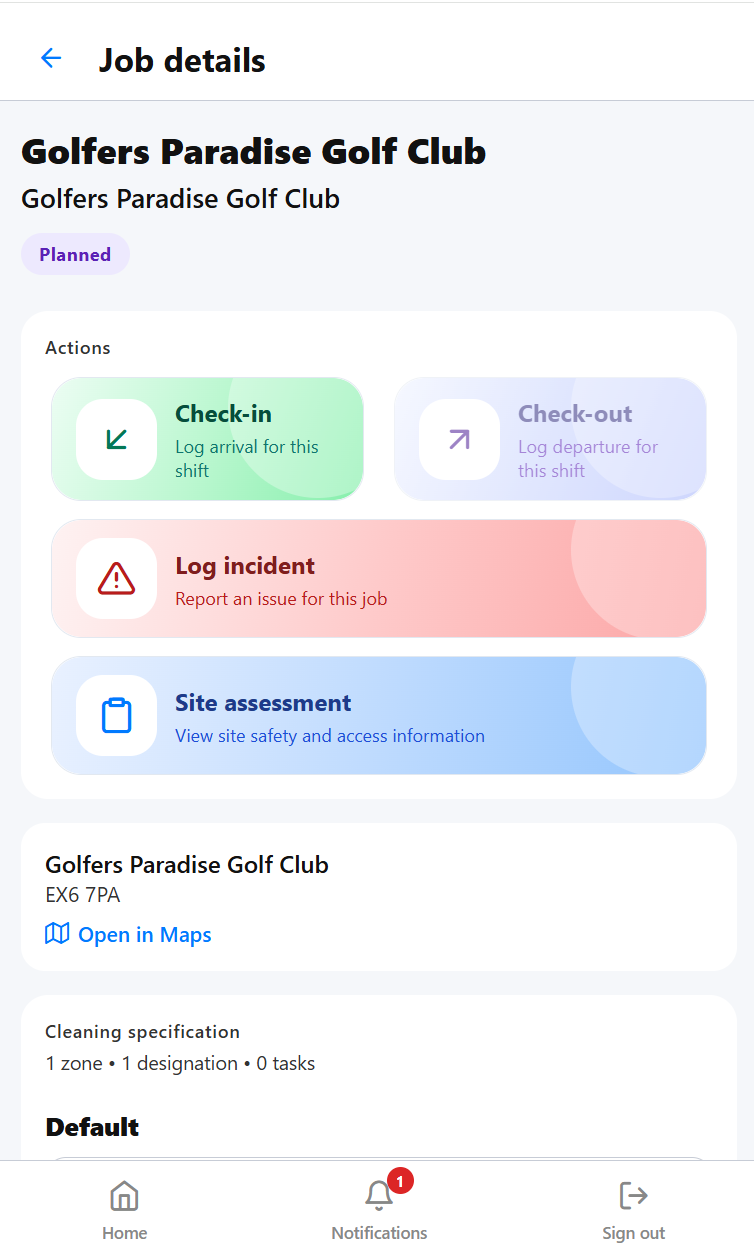 Job details
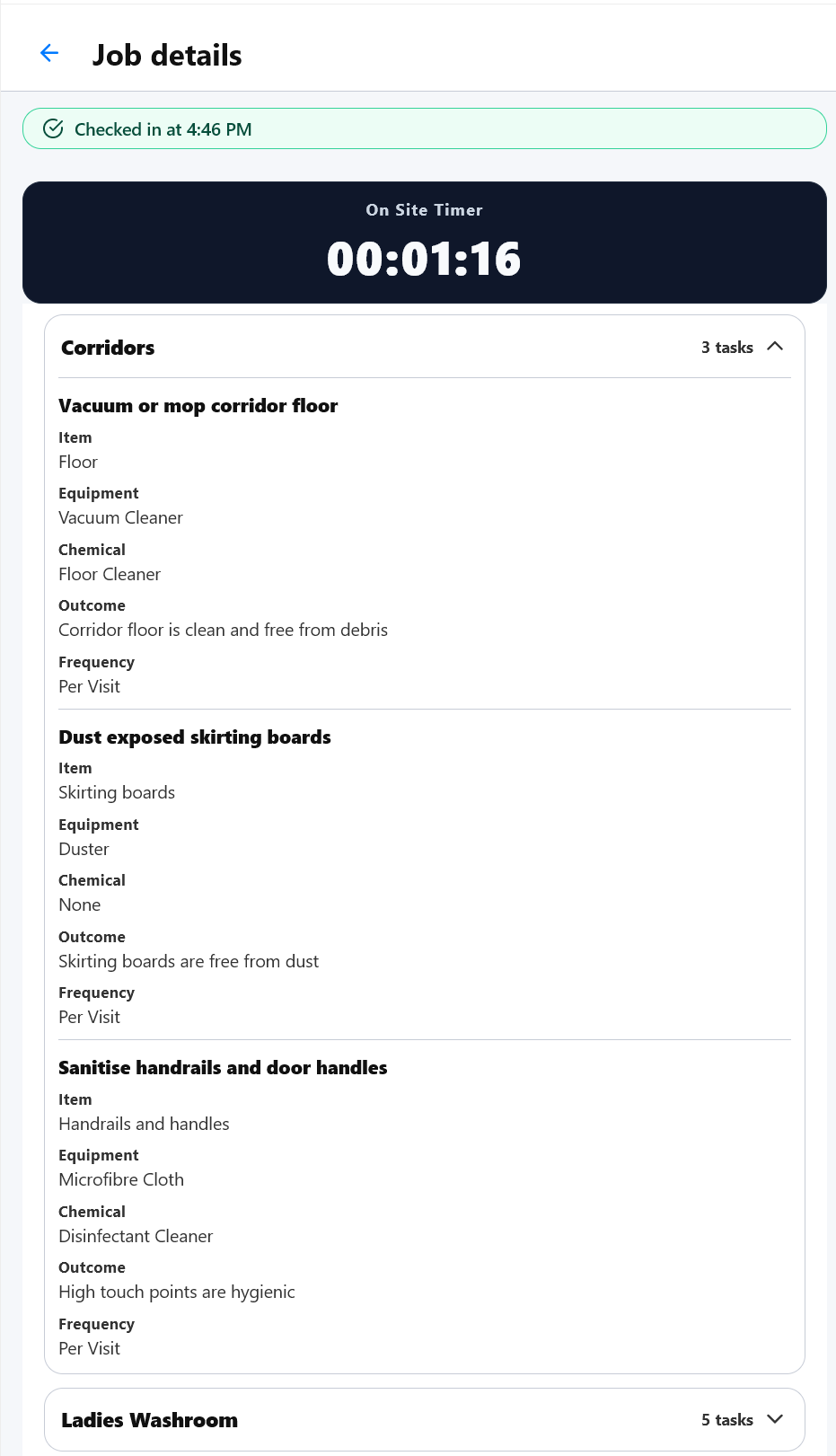 Specification
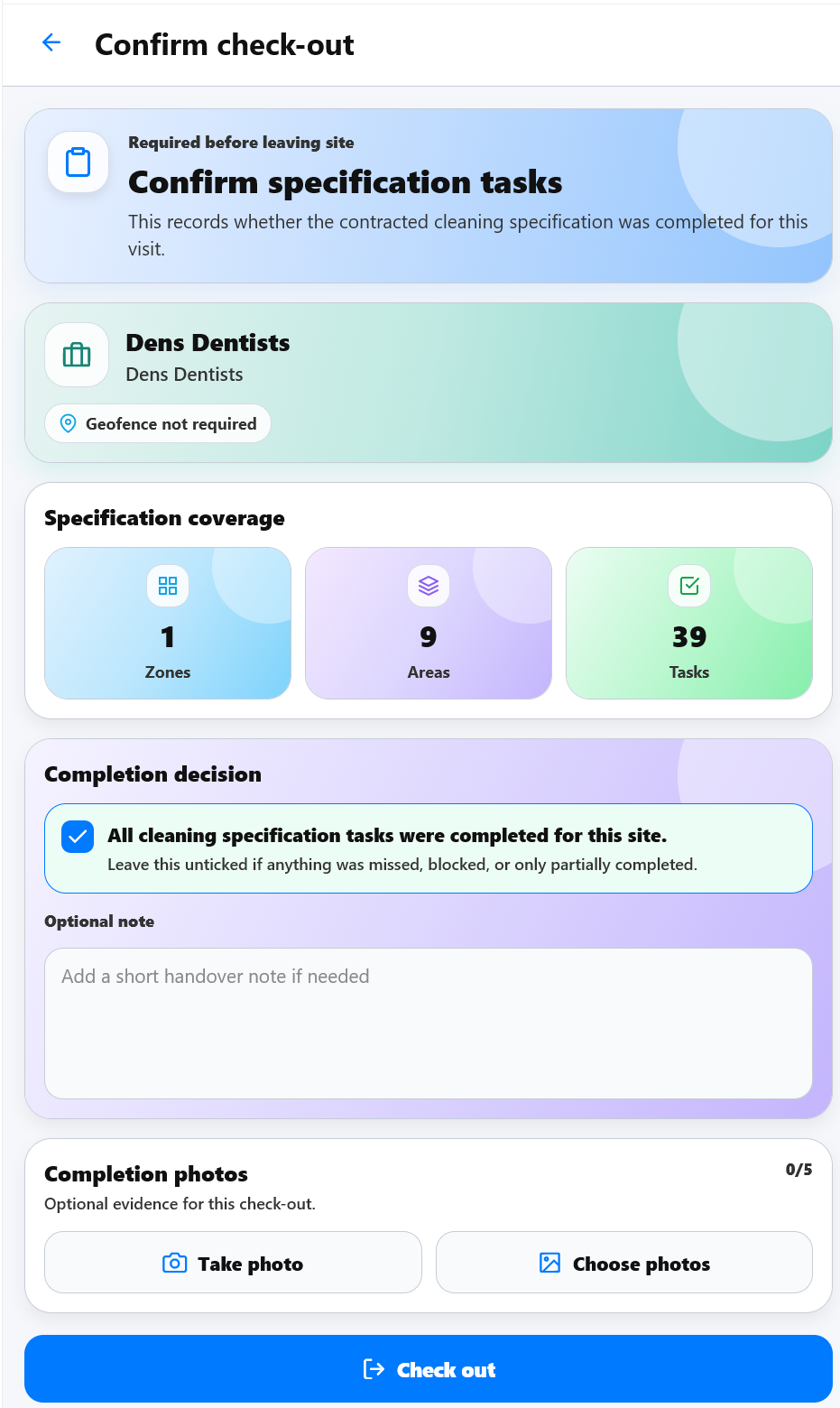 Check-out
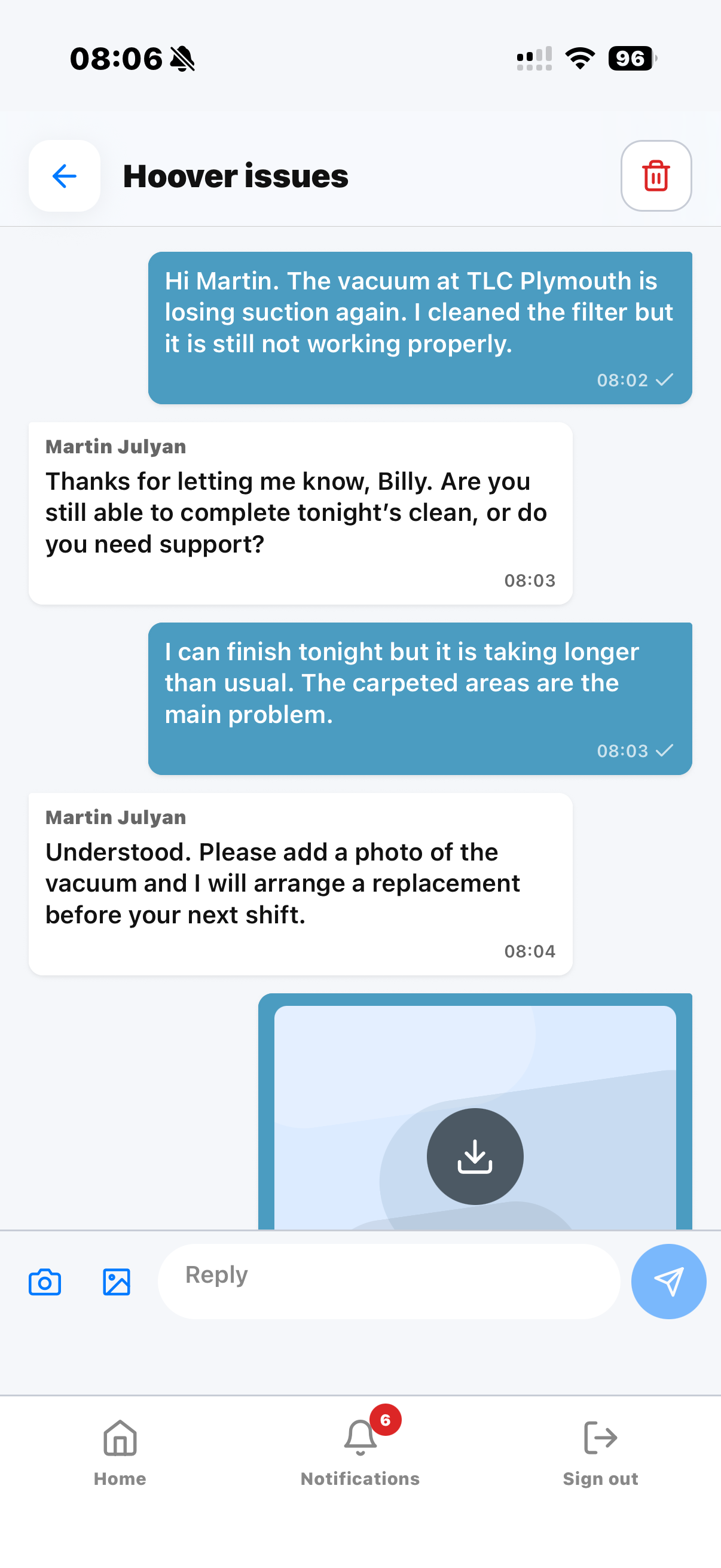 Staff can report operational issues from site.
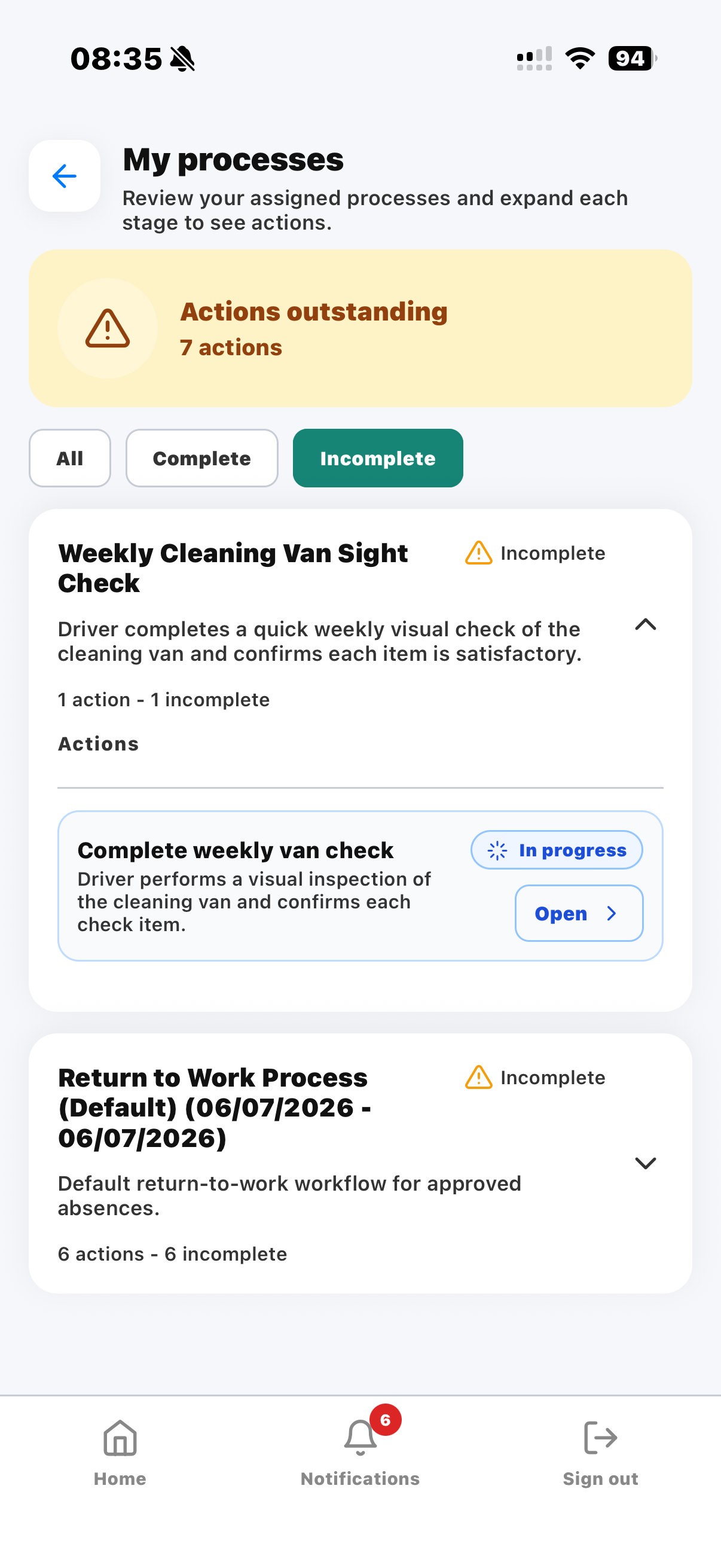 Process actions can reach the person responsible for completing them.